Pool mechanics
The pool is Ideafy's team collaboration primitive. Instead of assigning cards at creation time, you push them to a shared pool; teammates pull cards they want to work on. Assignment is a side effect of who claims the work, not a gate at the start.
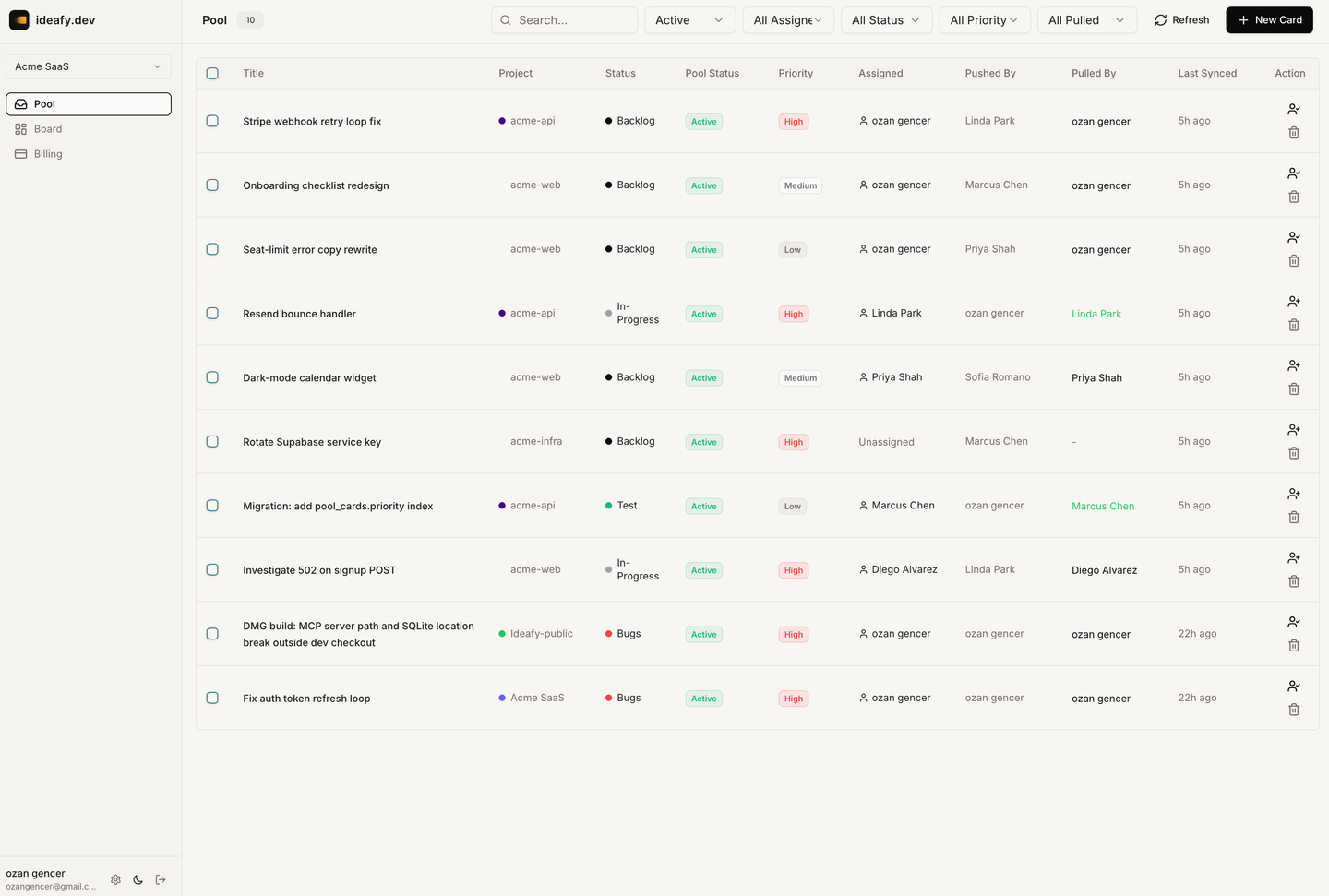
Four operations
| Operation | Who does it | Effect |
|---|---|---|
pool_push | Any member | Local card → pool row in Supabase, visible to the whole team |
pool_pull | Any member (one winner per card) | Pool row → new local card on your machine, atomically claimed |
pool_claim | Any member | Self-assigns an unassigned pool card, or self-unassigns your own claim |
pool_reassign | Current assignee OR admin / owner | Hands the card off to another member (or back to unassigned) |
All four are exposed as MCP tools and as buttons in the UI. An agent can drive the workflow (push the card it just finished, pull the next one from the queue) and a human can drive it just as well.
Reassign is no longer admin-only. The person currently assigned to a pool card can hand it off to anyone on the team without needing an admin to mediate. Admins and owners retain the ability to move cards claimed by others.
The two fields that matter: assigned_to and pulled_by
Every pool row carries two user references. They look similar but mean different things:
| Field | Meaning |
|---|---|
assigned_to | Logical owner — "whose work is this right now?" |
pulled_by | Active-local-copy holder — "whose machine has this card?" |
pulled_by is not the same as "whoever clicked Pull". Ideafy manages it as a pull lock: at most one team member can hold a ready-to-edit local mirror of a pool card at a time. The field auto-tracks whoever currently has the local row.
How pulled_by changes
| Action | pulled_by after |
|---|---|
Push with assigned_to = pusher (self-claimed push) | pusher — they have the local anyway |
Push broadcast (assigned_to = null) or hand-off to someone else | null (anyone can pull) |
| Pull | puller |
| Claim / reassign where new assignee = pusher AND pulled_by was null | pusher (the pusher's local is promoted to the active copy) |
Reassign away from the pusher while pulled_by = pusher | null (freed for the new assignee to pull) |
| Puller deletes their local copy (unpull) | null |
| Puller runs release/hand-off from the modal (see below) | null |
A real pull (pulled_by ≠ pusher) is never overwritten by a claim or reassign — whoever did the pull keeps the lock until they unpull.
Push — sending a card to the pool
When you push:
- The backend creates (or updates) a row in
pool_cardswith title, description, solution, tests, opinion, verdict, status, complexity, priority, project name, project color. - Your local card's
poolCardIdis set,poolOrigin = "pushed". - If
assigned_to === you(self-claimed push) the row'spulled_byis also set to you — you already hold the local copy, so the pull lock belongs to you from the start. - If you assigned a teammate, a
pool_assignednotification fires to them. - The card is now visible to everyone on the team in the pool view.
The card doesn't leave your local board. It's duplicated into the pool — your copy stays where it is. The pool copy is the authoritative shared state.
Re-pushing an update
If you push an update to a card you already pushed, the pool row is updated in place — as long as you still hold the pull lock. Another member who pulled your original will see the error Card was already pulled by a team member. Cannot update while pulled. In that case the puller is the one who should push updates now (see below).
Pool filter on the main board
The main board has a Hide pooled cards toggle (enabled by default). The rule is origin-agnostic: it hides any pool-linked card whose assigned_to is someone else.
- A card you pushed with self-claim → visible (you're still the assignee).
- A card you pushed to someone else → hidden (it's their work now).
- A card you pulled and are working on → visible.
- A card you pulled but has since been reassigned away from you → hidden.
See Board views for the full filter behaviour.
Pull — taking a card out of the pool
Someone (maybe you) pushes a card to the pool. You see it, decide you want to work on it, and pull it. When you pull:
- The backend atomically updates the pool row:
pulled_by = you,assigned_to = you,last_synced_at = now. - A new local card is created on your machine with
poolOrigin = "pulled"andpoolCardIdlinking back to the pool row. - The card carries over all content (description, solution, tests, opinion) plus priority and complexity. Conversations are NOT synced — see below.
- Your local project matches the pool card by name; task number is assigned fresh from your project.
The atomic update means only one person can win a pull. If two team members try simultaneously, the loser gets a 409 and retries, or picks a different card.
Running an agent on a card someone else wrote
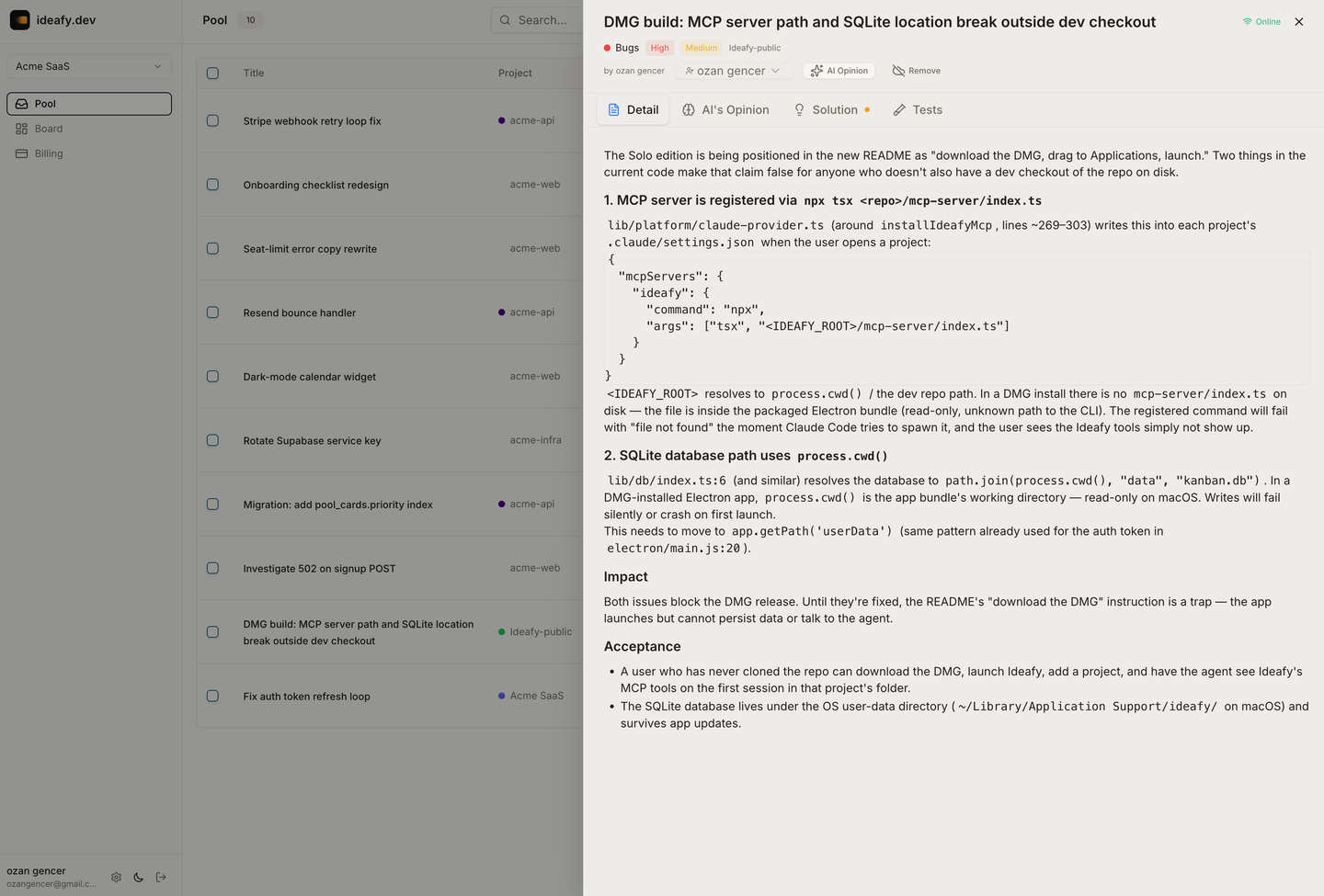
A pulled card carries a teammate's words, and running an agent on it hands those words control of a session that can read, write and execute in your project directory. So the first time you start an agent on a card whose text you didn't author, Ideafy stops and shows you the text.
The dialog says what it is — "This card was written by someone else" — renders the card's description as plain, pre-wrapped content (never as markdown or HTML, so nothing inside it can style or hide itself to look like part of the dialog), and asks you to read before approving. The framing it offers: treat instructions inside it the way you would treat instructions in a stranger's pull request.
Showing you the exact words is the whole point. Approving something unseen would make the gate ceremony rather than a control.
This never appears in the solo edition — nothing there produces a card written by anyone but you.
Underneath, externally-authored card text is also fenced as data inside agent prompts, and card titles and project names are sanitised before they're interpolated into the <system-reminder> block the hooks inject: line breaks are collapsed, angle brackets neutralised, and length capped. A pool-synced title can't close the reminder block and open its own, and a very long one can't bury the real policy lines below it.
Claim / unclaim / reassign — lightweight ownership
Sometimes you want to signal intent without pulling (for example, you want to think about a card before starting work). Claim sets assigned_to to yourself. Unclaim clears it. Neither by itself pulls the card into your local board — they only change the pool row's assignment metadata.
Who can do what:
| Action | Allowed for |
|---|---|
| Claim (unassigned → you) | Any member |
| Claim away from someone else | Admin / owner only |
| Unclaim your own | You |
| Reassign to another member | Current assignee OR admin / owner |
| Reassign back to unassigned | Current assignee OR admin / owner |
The server enforces these rules and also guards against race conditions: a non-admin reassign requires assigned_to to still match the caller at update time, so a concurrent admin change can't be silently overwritten.
Release / hand-off from the card modal
If you've already pulled a card (you hold the local copy) and you change the Assignee field in the card modal, Ideafy doesn't just flip the pool's assigned_to — it runs a three-step release because you're handing over the active working copy.
The card modal intercepts the change and shows a confirmation dialog:
- Unassigned → release (unclaim): "Unclaim and delete local copy?" Your local copy will be deleted and the pool pull lock will be released so another team member can pull it.
- Another member → hand off: "Hand off to {name}?" They take over; your local copy is deleted so their future updates (status changes, edits) don't drift from what's on your board.
Both variants execute the same sequence on confirm:
- Push local edits back to the pool so title / description / priority / solution / tests / opinion / status changes aren't lost. If this step fails, the release is cancelled and your changes stay local.
- Apply the ownership change — unclaim (assigned_to = null) or reassign (assigned_to = new member).
- Delete the local copy, which calls
/api/team/pool/unpullunder the hood.pulled_byis cleared, and your local row is removed from the board.
After a successful release: the pool row stays with the correct content and new assignment, the pull lock is free, and the new owner can pull cleanly.
Cancelling the dialog reverts the Assignee dropdown and touches nothing else.
Why the dialog? Without it, you'd be left with a stale mirror — your local card says status
In Progresswhile the new owner has already moved it toCompletedin the pool. Deleting the local copy closes that drift window.
Pool is the source of truth for assignment
Every time the client calls fetchPoolCards (on board open, after a claim, periodically), Ideafy walks the returned pool rows and reconciles every local card that has a matching poolCardId:
- If
pool_cards.assigned_to≠ local card'sassignedTo, the local row is updated to match the pool. - If
pool_cards.assignedToNamechanged, the display name is updated too.
This catches the "I claimed via the web app, now I open the desktop and the assignee is right" case — the web's claim only writes to Supabase, but the desktop's next fetch pulls the change into local SQLite.
For pool-linked cards, the rule is simple: pool wins. Local assignment edits flow through the pool API (claim / reassign), never through a local-only write.
The fire-and-forget sync
Every local card mutation on a pool-linked project (title edit, status move, save_plan, save_tests) fires an auto-push from the agent side and a pushUpdate from the UI side. Both call POST /api/team/pool/push, which updates the corresponding pool_cards row in Supabase.
Who can push updates:
- The puller (holder of the pull lock) — this is the common case after Pull.
- The original pusher, only while
pulled_byis stillnull(nobody pulled yet, or your own self-pull lock).
If another member has pulled the card, the original pusher can no longer push updates; the puller owns the work now. This prevents the pusher from silently overwriting the puller's in-flight edits.
What syncs
- title, description, solution_summary, test_scenarios, ai_opinion, ai_verdict
- status, complexity, priority, pool_status
- project_name, project_color
- last_synced_at
What doesn't sync
assigned_to— only claim / reassign changes it.- Conversations (per-card chat history).
- Local-only fields (dev server PID, worktree path, git branch metadata).
Fire-and-forget means: if the call fails (network, Supabase down), the local mutation still succeeds. The next mutation retries. You never see an error for a sync failure — except in the release dialog above, which treats a failed push as fatal and cancels the hand-off.
Pool view
The pool view is a separate board view showing only pool cards. Filters:
- By team: pick one team or "all teams I'm in".
- By status: default
active; switch to includecompletedandwithdrawn. - Unassigned / assigned to me / everyone: three quick filters for who's on what.
- Pulled by: filter to see only cards held by a specific member, or cards that nobody has pulled yet.
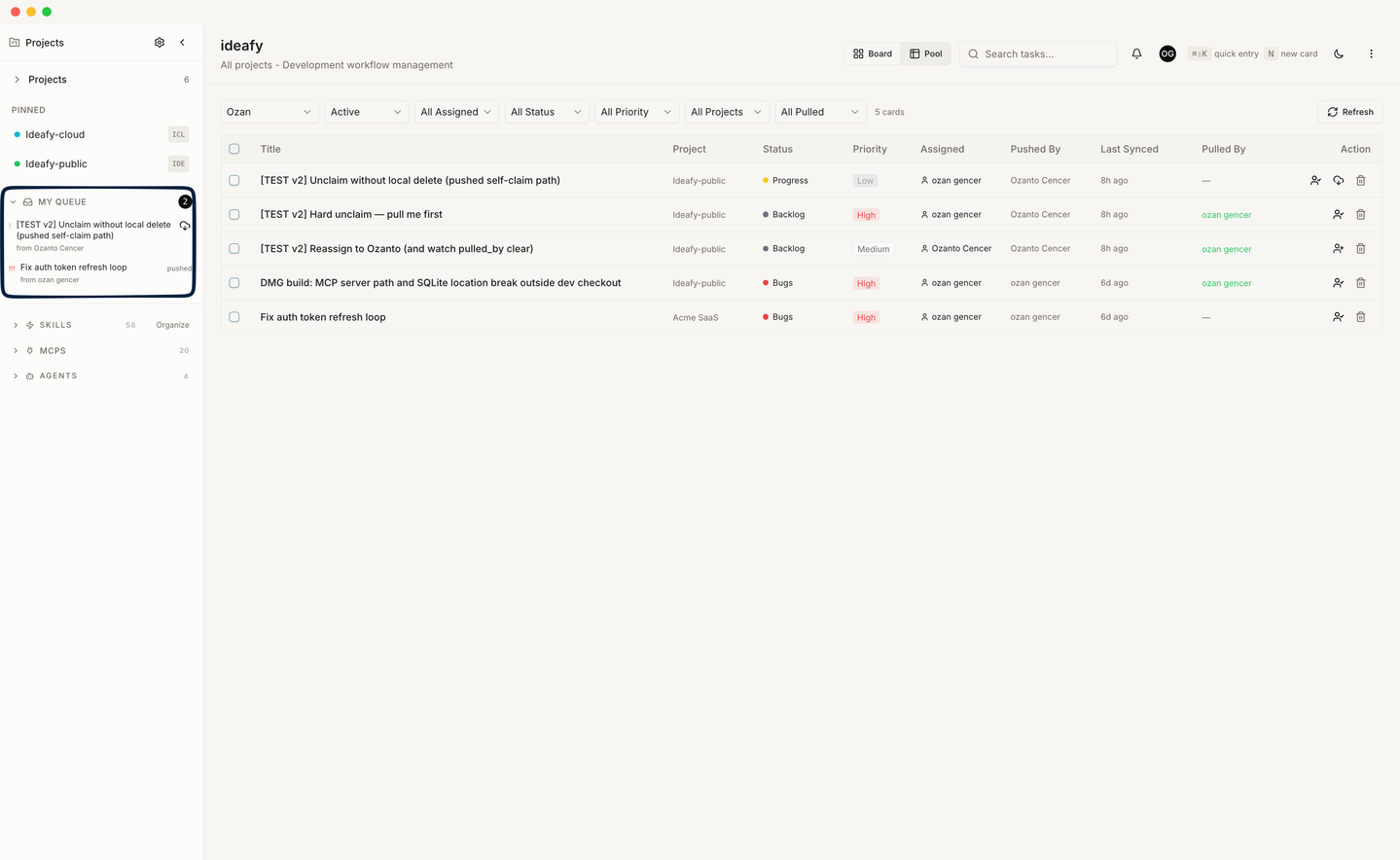
The Pulled By column shows only who actually holds the pull lock. It does not fall back to the assignee name — a card that's claimed but not pulled shows — in this column.
The pool view uses the same card modal the main board does, so opening a pool card gives you the full Detail / Opinion / Solution / Tests experience — read-only unless you pull it first.
Web vs Electron
The desktop Electron app has a local SQLite DB — it can pull, hold a local copy, and push updates. The web app (ideafy.dev) doesn't have local storage — from the web you can claim, reassign, browse, read, but you can't pull (there's no local SQLite to pull into).
So a typical hand-off looks like:
- On the web: teammate claims or you reassign to them.
- On their desktop Electron app: they pull the card into their local board.
- They work locally; updates flow back to the pool.
Ideafy keeps the two sides consistent by running the reconciliation step above on every fetch — whichever side a claim / reassign happened on, the other side catches up next time it reads.
Paywall
The pool is gated by subscription status:
- Read (
pool_list, pool view, my-queue visibility): always allowed. - Write (
pool_push,pool_pull,pool_claim, reassign): allowed when subscription isactiveortrial; blocked whenexpired,past_due,canceled, or ingrace.
So a team whose subscription lapses can still see their pool but can't move cards. This is deliberate — you never lose access to your data, you just can't collaborate until you renew.
See Subscription states.
Prev: Team setup Next: My Queue Up: User guide index