Quick entry flow
Quick entry is the fastest path from "I just thought of something" to a card on the board. It's a single modal, not a multi-step wizard — the "4 steps" below are really four places your attention lands while you're filling it in.
Click the + button in any column header. The card lands in that column: click + on Backlog and you get a backlog card, click it on Ideation and you get an ideation card.
Step 1 — Title
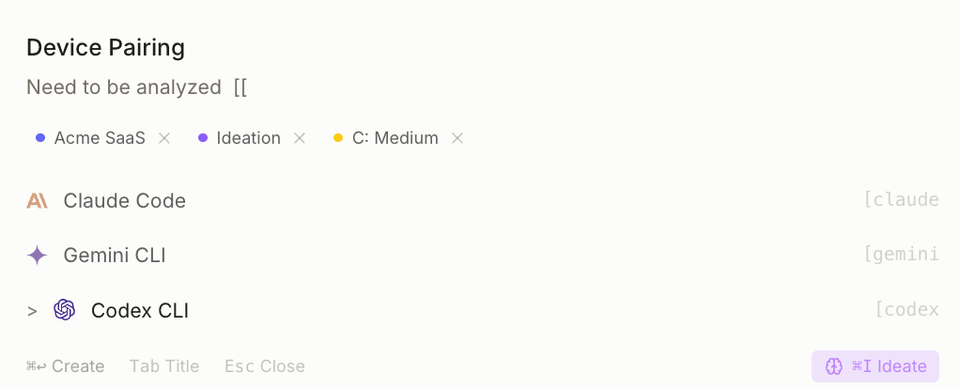
Start with the title. Everything else is optional — a card with only a title is a perfectly legal card. The modal doesn't force you through every field.
Step 2 — Detail
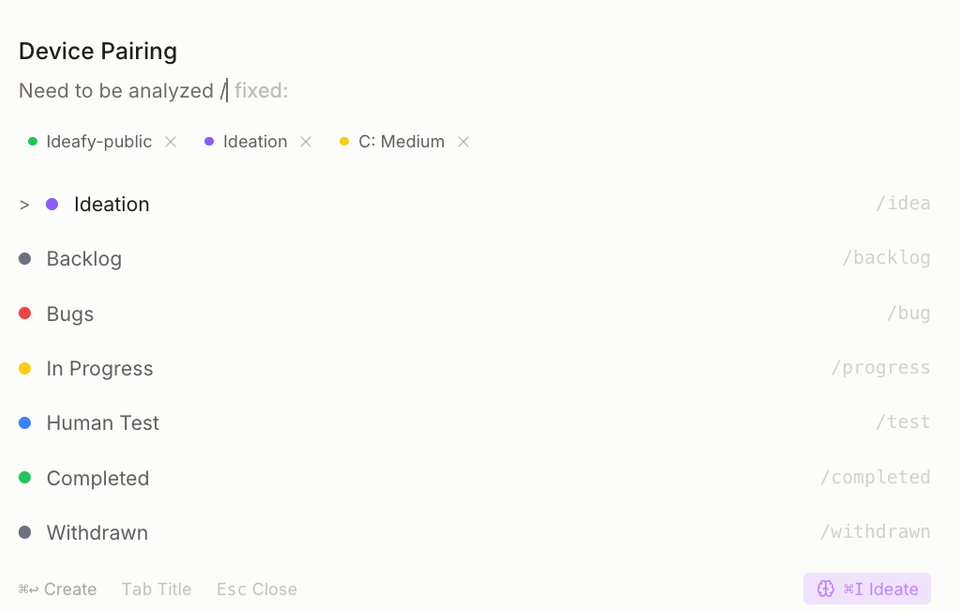
The Detail tab is a full Tiptap editor: markdown, headings, lists, code blocks, tables, inline images. Paste a screenshot and it embeds as an image. Paste a link and it stays a link — there's no auto-unfurling.
Step 3 — Classification
Before you save, drop in:
- Priority — low / medium / high
- Complexity — low / medium / high
- AI platform (optional) — override the workspace default if this particular card needs Gemini or Codex instead of Claude Code
Step 4 — Save
Save. The draft becomes a real card in the column you started from. The modal stays open so you can keep editing, or close it and move on.
Quick entry is purely human-driven. No AI call happens during capture — the board doesn't interrupt your thought. AI steps in afterward, when you explicitly ask for an evaluation (
evaluate) or start implementation (autonomous/quick-fix).
Where draft cards live before you save
Until you hit Save, the card is a draft with an ID like draft-<timestamp>. It exists only in the local Zustand store; nothing's persisted. Close the modal without saving and the draft is gone.
Keyboard
Enterin the title field jumps to the descriptionCmd/Ctrl + Enteranywhere inside the modal saves the draftEscdiscards
Prev: Card anatomy Next: Card modal — Detail Up: User guide index