Card chat & mentions
Every tab in the card modal has its own chat panel. It's where you talk to the agent about that card, in that context — and where trigger characters like @, [[, and / turn into first-class references that the agent can actually use.
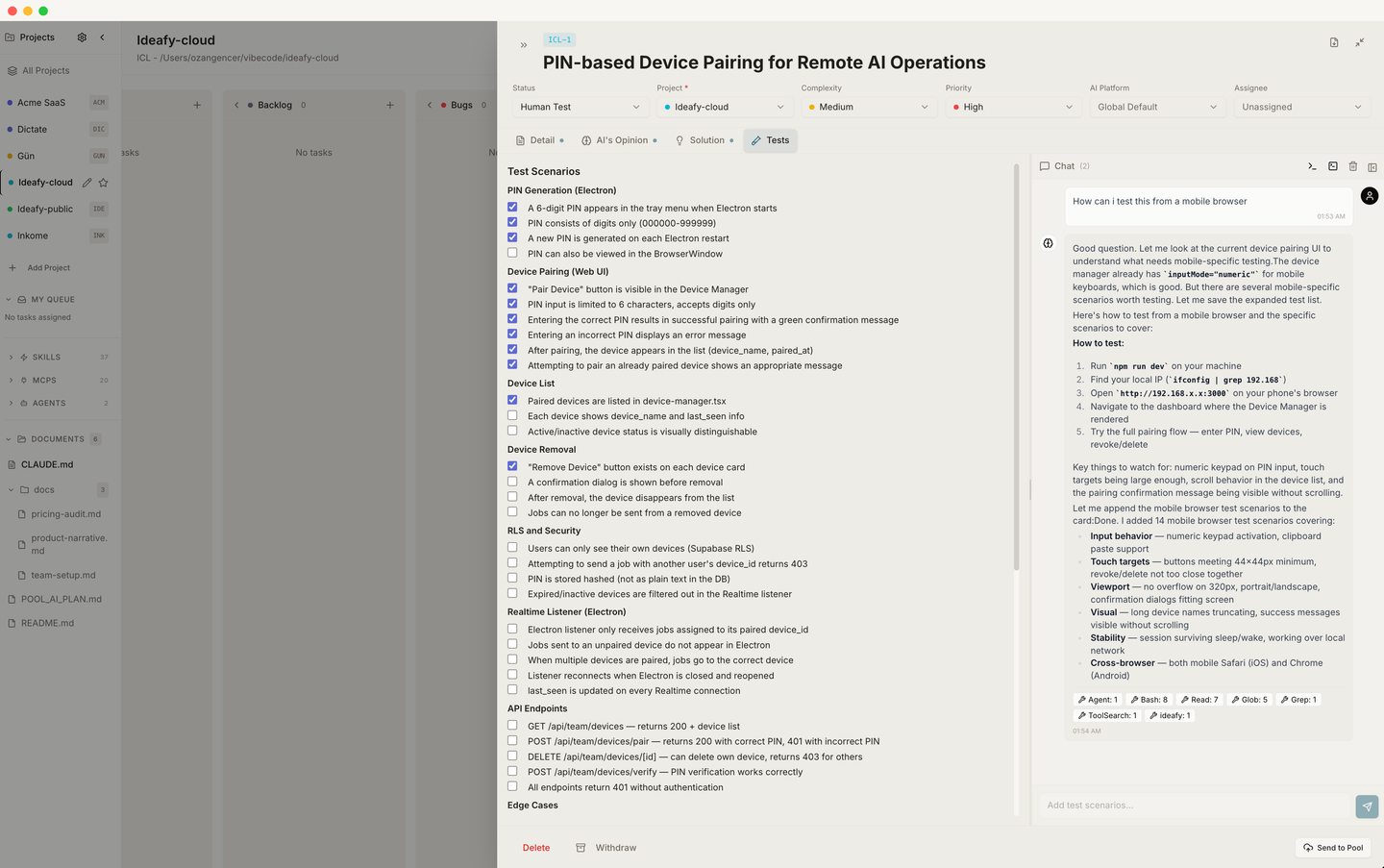
Per-section conversations
Conversations are stored per (cardId, sectionType). That means:
- Chatting about Detail doesn't pollute the Tests conversation
- Opening the same card tomorrow shows you the full thread from last session
- Switching tabs swaps the thread you're looking at
Each message has a role (user / assistant), the rendered content, a list of mentions, and a list of tool calls that ran during that turn.
Streaming
Replies stream in as the agent generates them — no "wait for the whole thing". Under the hood, the modal opens a Server-Sent Events connection to /api/cards/[id]/chat-stream and appends tokens as they arrive.
Trigger characters
The chat input supports three trigger characters, and each one pulls a different kind of thing into the conversation. This is the surface that makes AI-assisted development feel like you're wiring things together instead of writing paragraphs.
@ — documents and memory
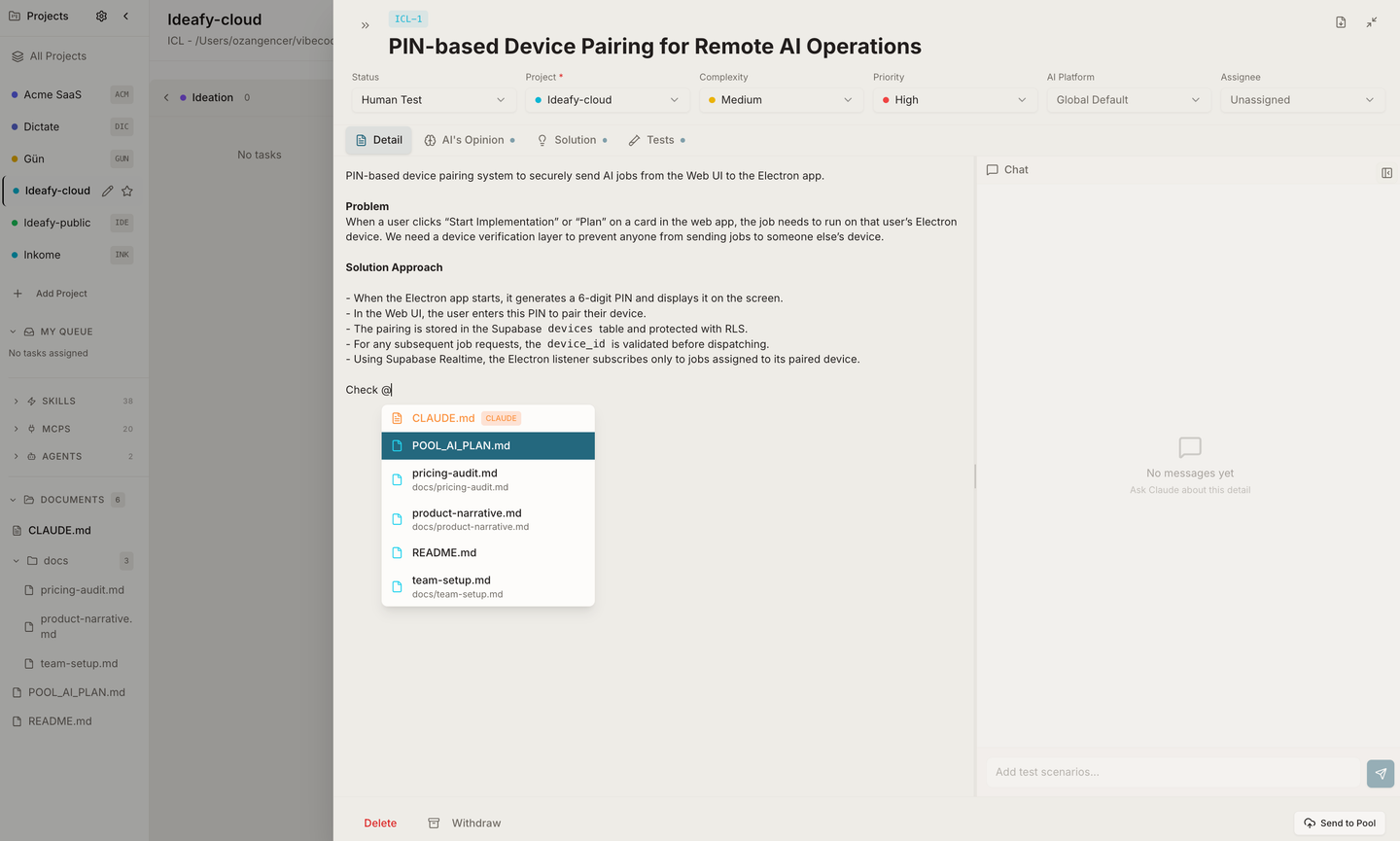
Type @ to open a document autocomplete. The menu is a merged list of two sources — project documents and (when Claude is the active agent) Claude's auto-memory files.
Project documents — every markdown file Ideafy knows about for this project:
CLAUDE.mdat the project root (highlighted in orange with aCLAUDEbadge)- Anything listed under Document Paths in project settings (manual paths, rendered first)
- Any
.mdfile found by smart discovery — a walk ofdocs/,documentation/,wiki/,notes/,specs/,design/,architecture/,adr/,plans/, and.github/, plus important root files (README.md,CONTRIBUTING.md,CHANGELOG.md,ARCHITECTURE.md,SECURITY.md,LICENSE.md)
Claude auto-memory — only when the active agent is Claude Code. Memory files live at ~/.claude/projects/<dash-encoded-folder>/memory/ and are the notes Claude writes to itself across sessions. They show up with a green Brain icon and a MEMORY badge in the popup, with MEMORY.md always pinned first.
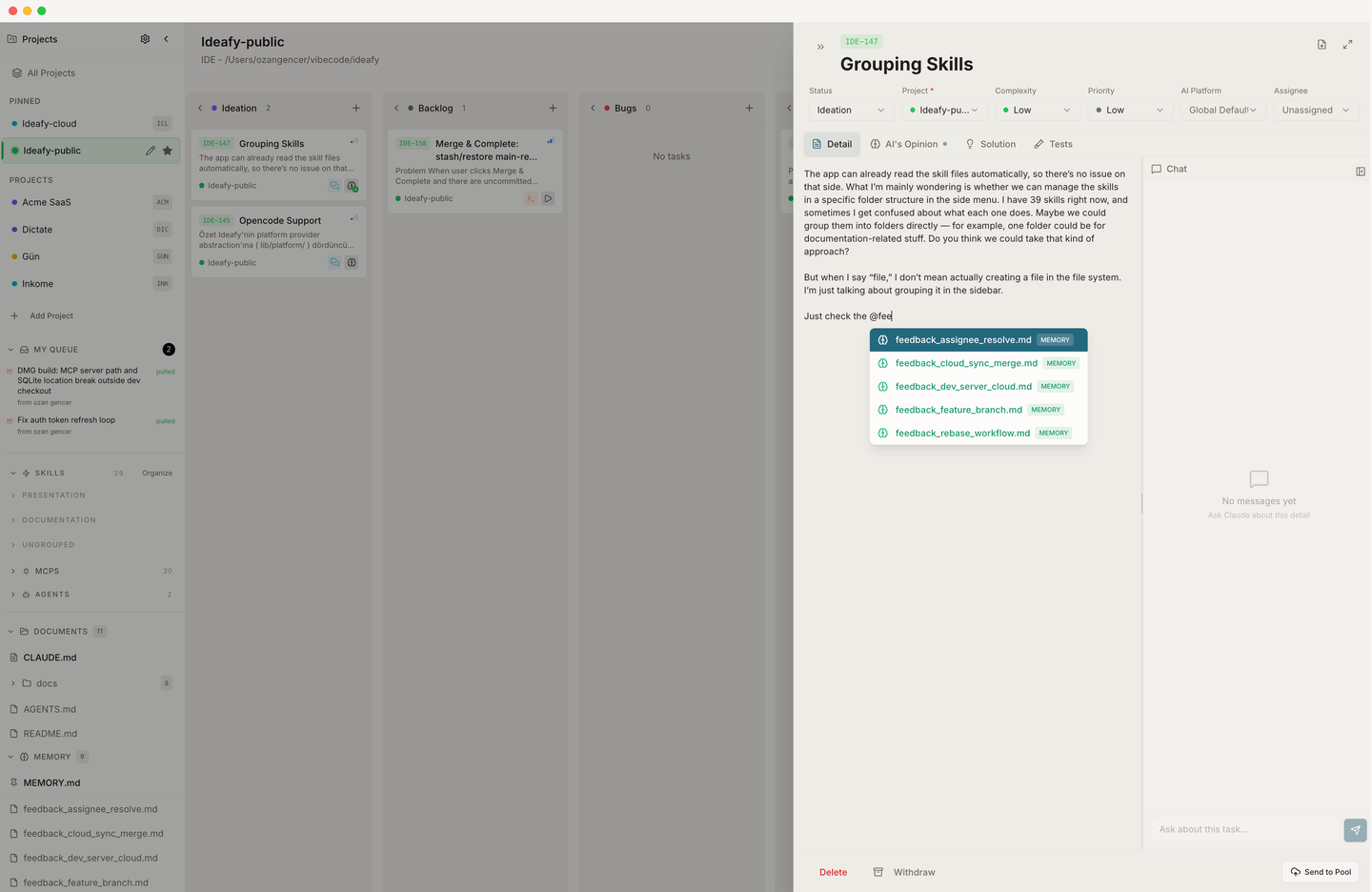
Pick an item and it inserts as a reference like @product-narrative or @MEMORY.md. When you send the message, Ideafy:
- Attaches the file content as context the agent reads before replying
- Strips the leading
@from the name so Claude doesn't interpret it as an email - Renders the pill inline in the message so you can see what you linked
- For memory files, resolves to the absolute path so Claude CLI can open them even though they sit outside the project folder
Use @ when you want the agent to actually read the file before responding. Typical uses: @product-narrative — does this idea fit?, @CLAUDE.md — what's the lint rule for imports?, @MEMORY.md — what did we already decide about auth?.
[[ — cards
Type [ to open a card autocomplete. The menu shows every card in the active project with its display ID, title, and current status. Pick one and it inserts as [[KAN-14 · Add dark mode toggle](/docs/-to-open-a-card-autocomplete.-the-menu-shows-every-card-in-the-active-project-with-its-display-id,-title,-and-current-status.-pick-one-and-it-inserts-as-[[kan-14-·-add-dark-mode-toggle).
There's a power-user variant: type [[[ (three brackets) to filter the menu to completed cards only. Useful when you want the agent to reference "that thing we already shipped last week" and you don't remember its ID.
When the agent sees a card mention, it knows which sibling card you're referring to and can call get_card to read its full Detail / Opinion / Solution / Tests. So [KAN-14](/docs/kan-14) had the same edge case — look how we handled it there becomes a real cross-reference, not just prose.
Use [[ for:
- Linking a bug to the feature it's blocking
- Pointing at a prior card with a similar pattern
- Building a chain: "do this card, then move to
[KAN-18](/docs/kan-18)next"
/ — skills, MCP tools, and agents
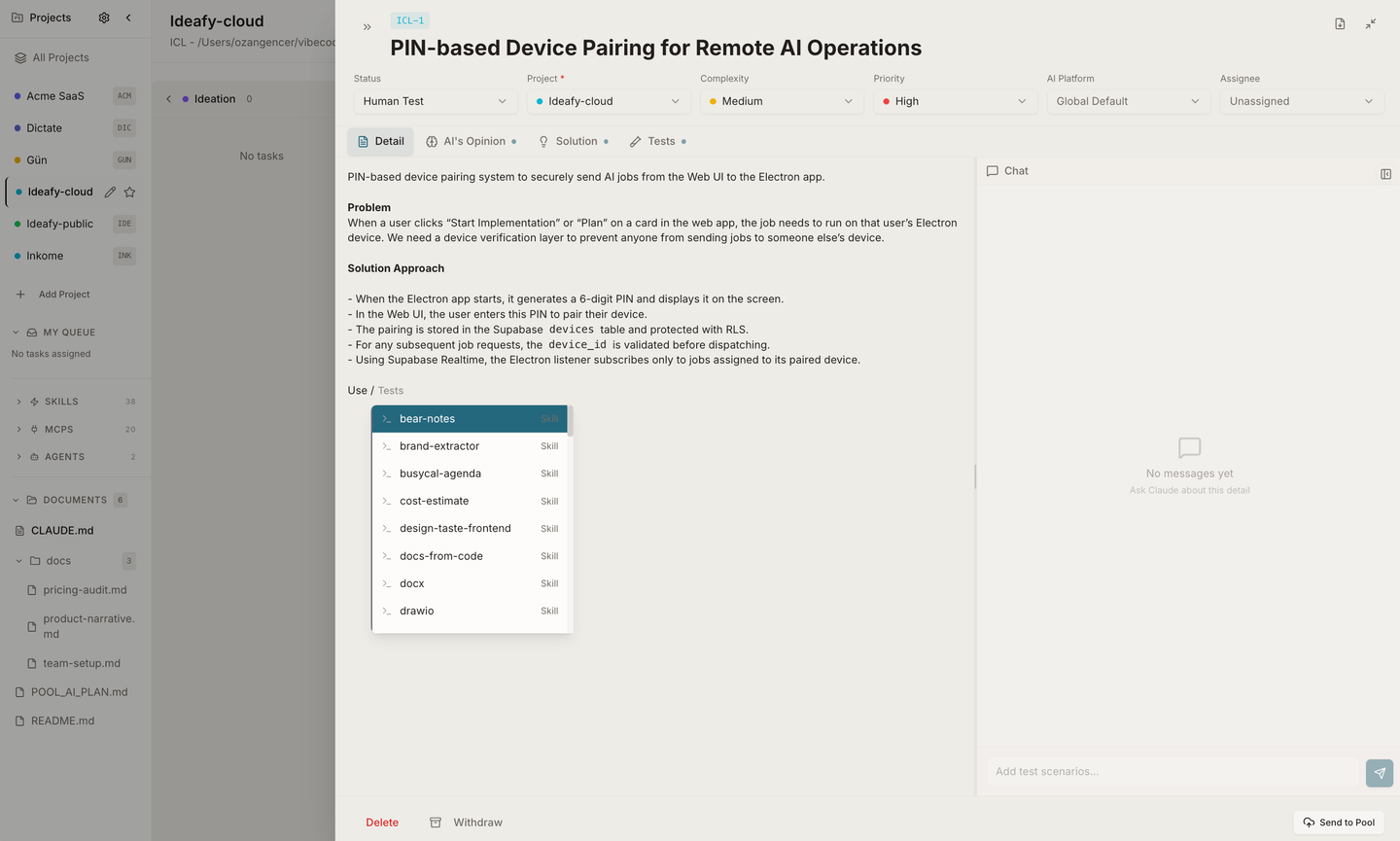
Type / to open a unified menu of three kinds of things the agent can invoke:
| Kind | What it is | Example |
|---|---|---|
| Skill | A Claude Code skill (markdown file) in your project's .claude/skills/ or global ~/.claude/skills/ | /ideafy, /product-narrative, /human-test |
| MCP | An MCP server registered in ~/.claude.json or the project's .mcp.json | /mcp__ideafy__list_cards, /mcp__bear__create_note |
| Agent | A named agent (sub-agent) configured in the project | /review-pr, /designer |
Everything from three different registries shows up in one menu, sorted and searchable. You don't need to remember which one product-narrative was — just start typing and pick it.
When the message is sent, Ideafy is careful with the prefix:
- Skills keep their leading
/— Claude Code interprets/skill-nameas "invoke this skill" - MCP mentions get the
/stripped — the agent sees the tool name (mcp__ideafy__list_cards) instead of a slash command - Agents stay as pill references the agent can dispatch sub-tasks to
Use / when you want to run something, not reference something. The difference: @product-narrative says "read this file"; /product-narrative says "run the interview skill."
Trigger summary
| Type | Opens | Shows | Sent as | Best for |
|---|---|---|---|---|
@ | Document menu | Project markdown docs | Attached file context, @-stripped | "Read this" |
[[ | Card menu | All cards in project | Inline mention with displayId | Cross-referencing cards |
[[[ | Card menu, filtered | Completed cards only | Same as [[ | Referencing shipped work |
/ | Unified menu | Skills + MCPs + Agents | Prefix munged per type | "Run this" |
All three triggers work in all four tabs — Detail, Opinion, Solution, Tests. The same chat input component renders in each tab.
Tool calls in the thread
When the agent calls an MCP tool — save_plan, save_tests, save_opinion, list_cards, or anything from a third-party MCP — the call appears as a structured block in the chat, not as a wall of JSON. You see the tool name, the input parameters, and the output. Tool calls are stored with the message so the thread stays auditable after the fact.
Images
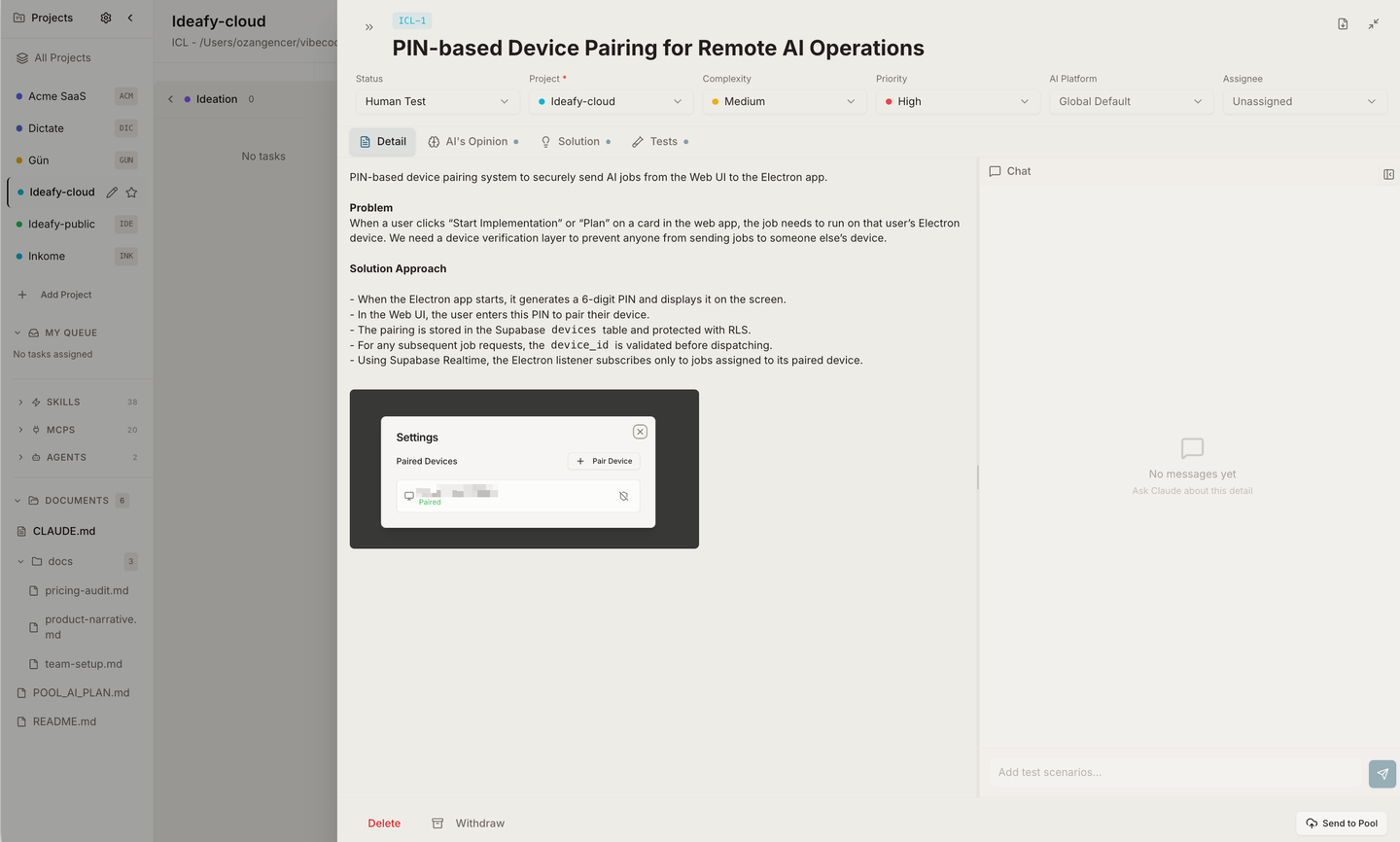
Paste or drag a screenshot into the chat input; it attaches as a base64 data URI. Before sending, Ideafy extracts images from the conversation history and hands them to the agent as vision context — so the AI can literally look at what you're looking at.
Image drops are size-capped at 5 MB per file. Anything larger is rejected with a warning; paste a smaller copy instead.
Dragging files in from Finder
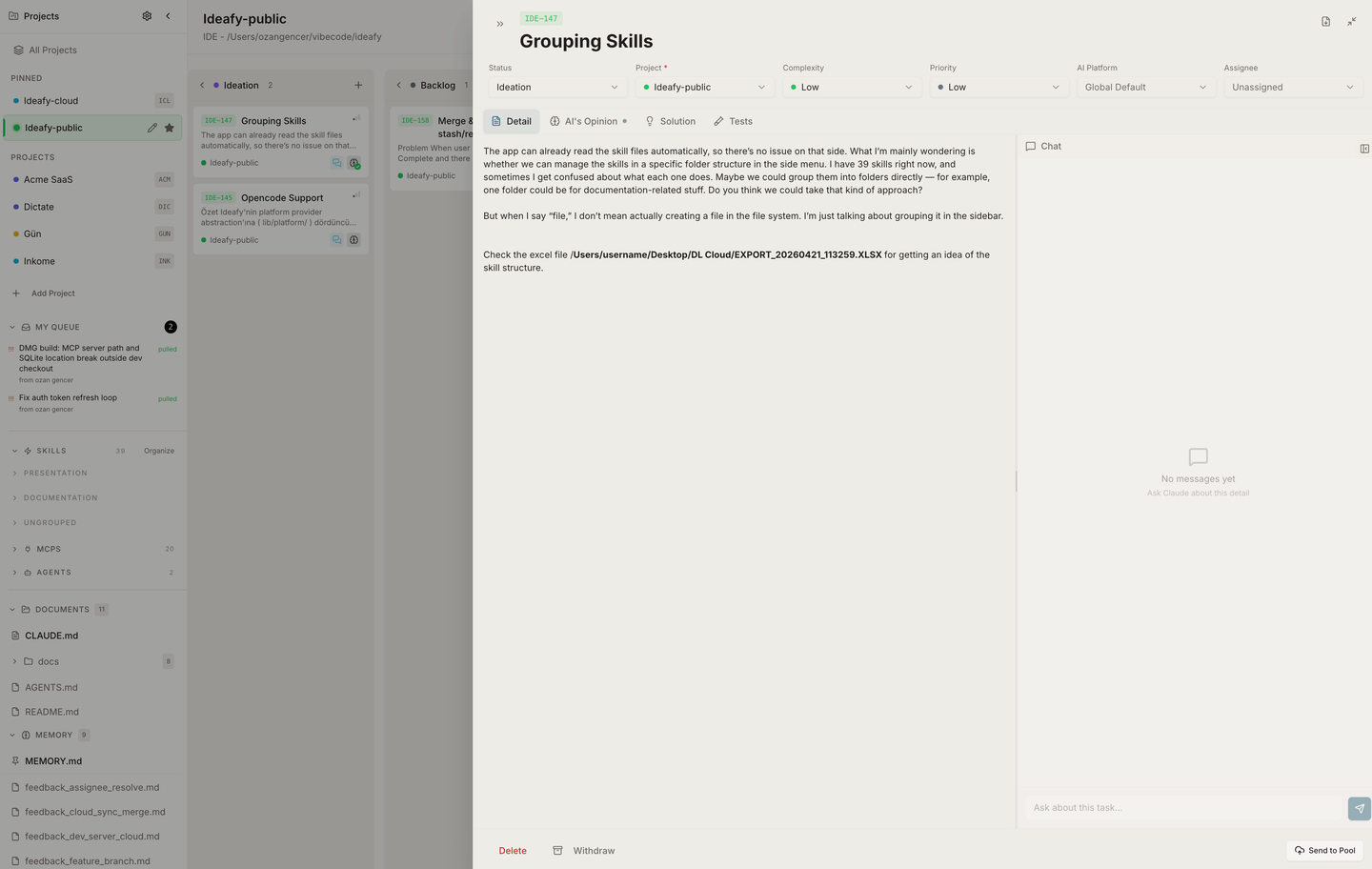
Drag any file from Finder (or the equivalent OS file explorer) onto the chat input and Ideafy inserts its path as plain text at the drop position. The path is rewritten relative to the project folder when possible, so a file inside the project shows up as docs/specs/api.md instead of a full absolute path. Files outside the project keep their absolute path.
Drops work in every markdown editor in Ideafy — the card chat, the Detail / Solution / Tests section editors, and the standalone Document editor — so you can paste file references anywhere the agent reads.
Mixed drops are allowed: drop an image and a .ts file together, and you get both — the image uploads as an attachment chip, the code file lands as a relative path reference.
Session continuity — the chat remembers
The chat panel is not stateless. Behind the scenes, Ideafy maps (cardId, sectionType) to a CLI session ID in a chatSessions table. When you send a follow-up message in the same tab on the same card, Ideafy spawns the agent with --resume <sessionId> and passes only the new message — no system prompt, no history re-send. The agent picks up exactly where it left off.
This is why a conversation feels "alive" across days: you can open the same card three days later, type one more question, and the agent already knows everything that came before. See Interactive CLI sessions for the resume mechanics and how to pop a running session out into a real terminal.
Which agent is answering?
It's whichever agent the card's aiPlatform points at — or the workspace default if the card has no override. Claude Code supports session resume via --resume; Gemini and Codex behave slightly differently depending on their CLI. See Choose an AI agent.
Prev: Card modal — Tests Next: Card git workflow Up: User guide index