Sign up & Authentication
Ideafy has two auth modes, and which one you're in depends on the edition and configuration.
- Solo mode — no authentication. The Public edition defaults to this, and the Team edition falls back to it when Supabase environment variables are missing. Your data stays on the local SQLite database.
- Signed-in mode — Supabase-backed. Required for team features: pool, notifications, my queue, billing. Only available in the Team edition.
If you don't need team features yet, you can skip this page. Ideafy is fully functional without signing in.
Providers
The Team edition supports four sign-in methods, all backed by Supabase Auth:
| Provider | Best for | Flow |
|---|---|---|
| Email + password | Full control, no third party | Enter display name, email, password (min 6 chars) → confirmation email via Resend → click the link → you're in |
| Google OAuth | Fast sign-in, Google Workspace users | Click Continue with Google → consent screen → redirected back to Ideafy |
| GitHub OAuth | Developers with an existing GitHub account | Click Continue with GitHub → authorize → redirected back |
| Magic link | No password to remember | Enter email → one-time link arrives via Resend → click to sign in |
You can switch providers later, but the email tied to the account is the identity — signing in with GitHub + your email lands you in the same account as signing in with a Google account sharing the same email.
First-time sign-up
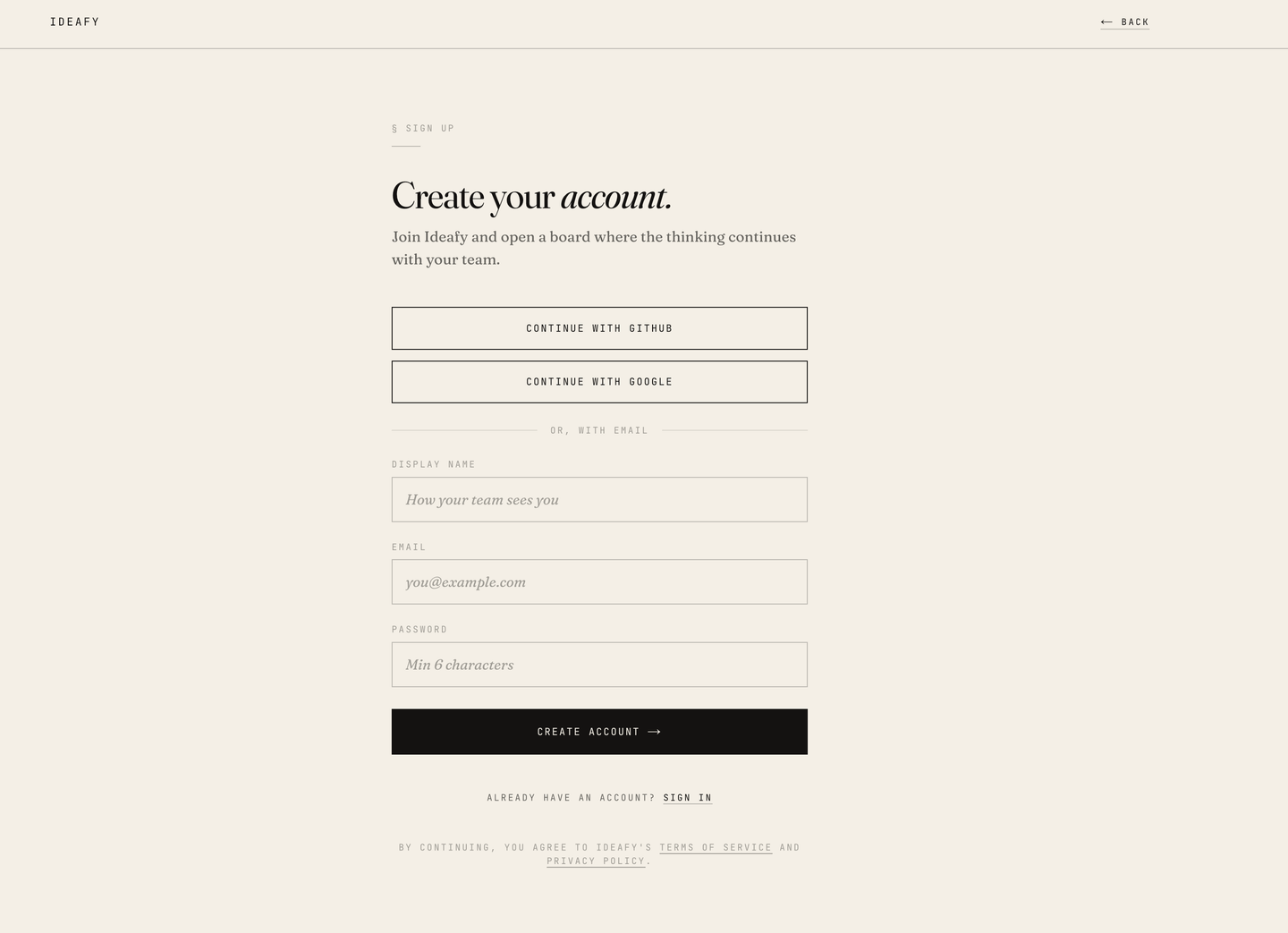
- Open Ideafy
- Click Sign up in the top-right
- Choose a provider
- Email/password only: set a display name that your teammates will see
- You land on the empty projects list, now signed in
Signing out
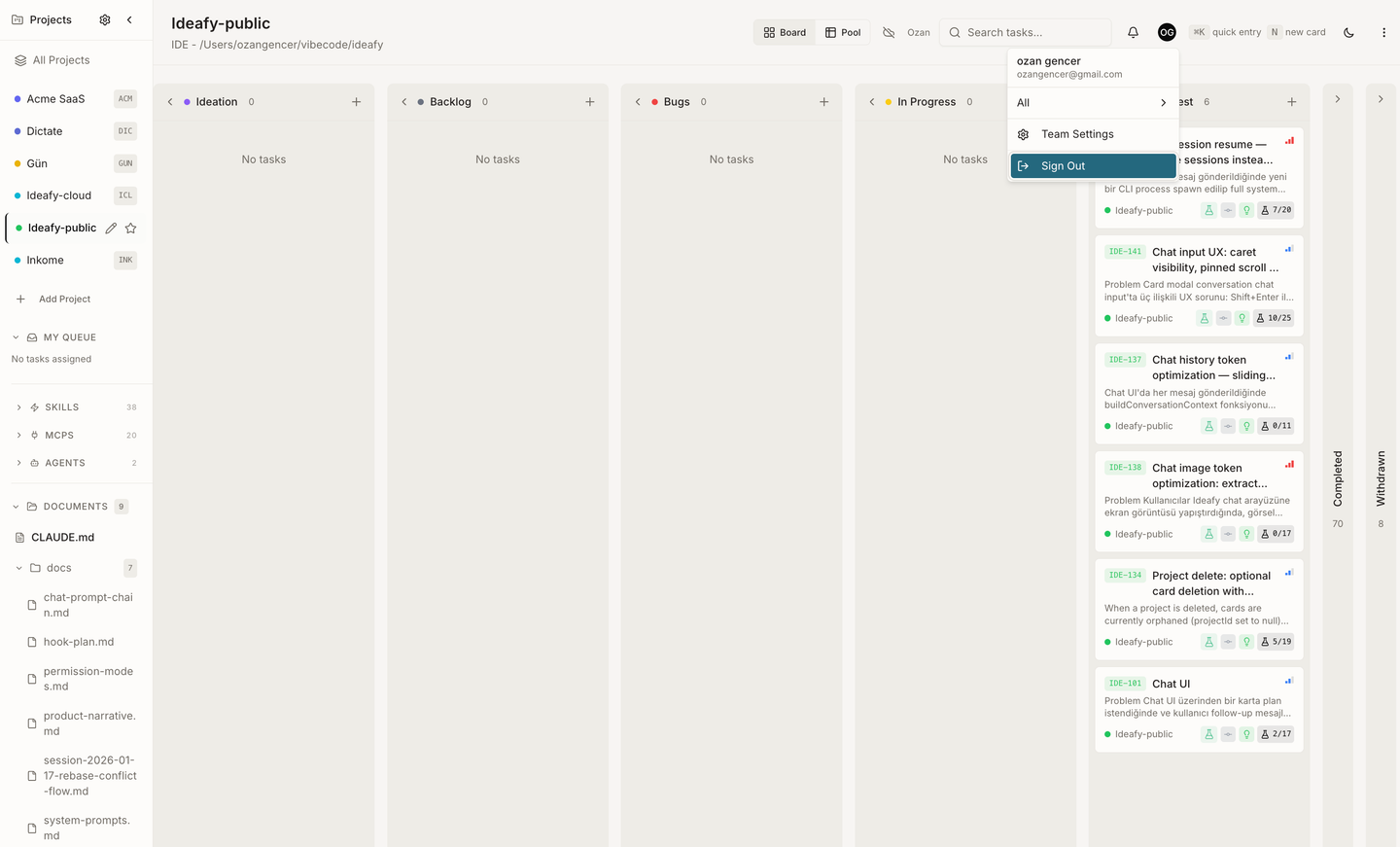
Click your avatar in the sidebar → Sign out. Local data stays; the app drops back to solo mode. Pool cards remain visible but read-only until you sign back in.
Deleting your account
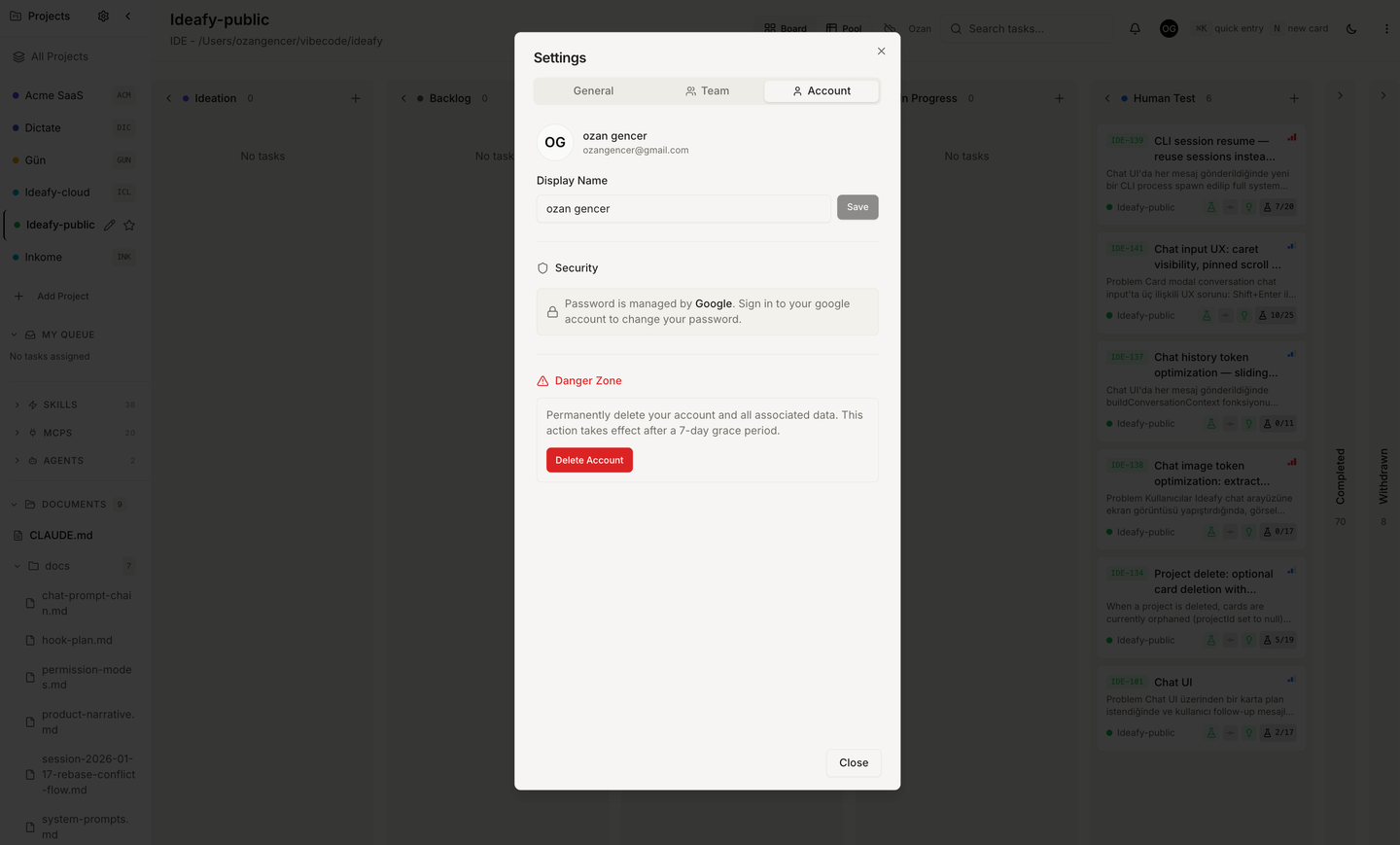
Settings → Account → Delete account. There's a 7-day grace period during which you can cancel. After the grace period, your user row, team memberships, and cloud-synced cards are permanently removed. Local SQLite data is not touched — you delete that by removing ~/Library/Application Support/ideafy/.
Prev: Install Next: Your first project Up: User guide index