Card modal — Solution
Solution is where the implementation plan lives. Not code — the shape of the change, the files it touches, the order it happens in, and the reasoning behind it. It's populated by the save_plan MCP tool.
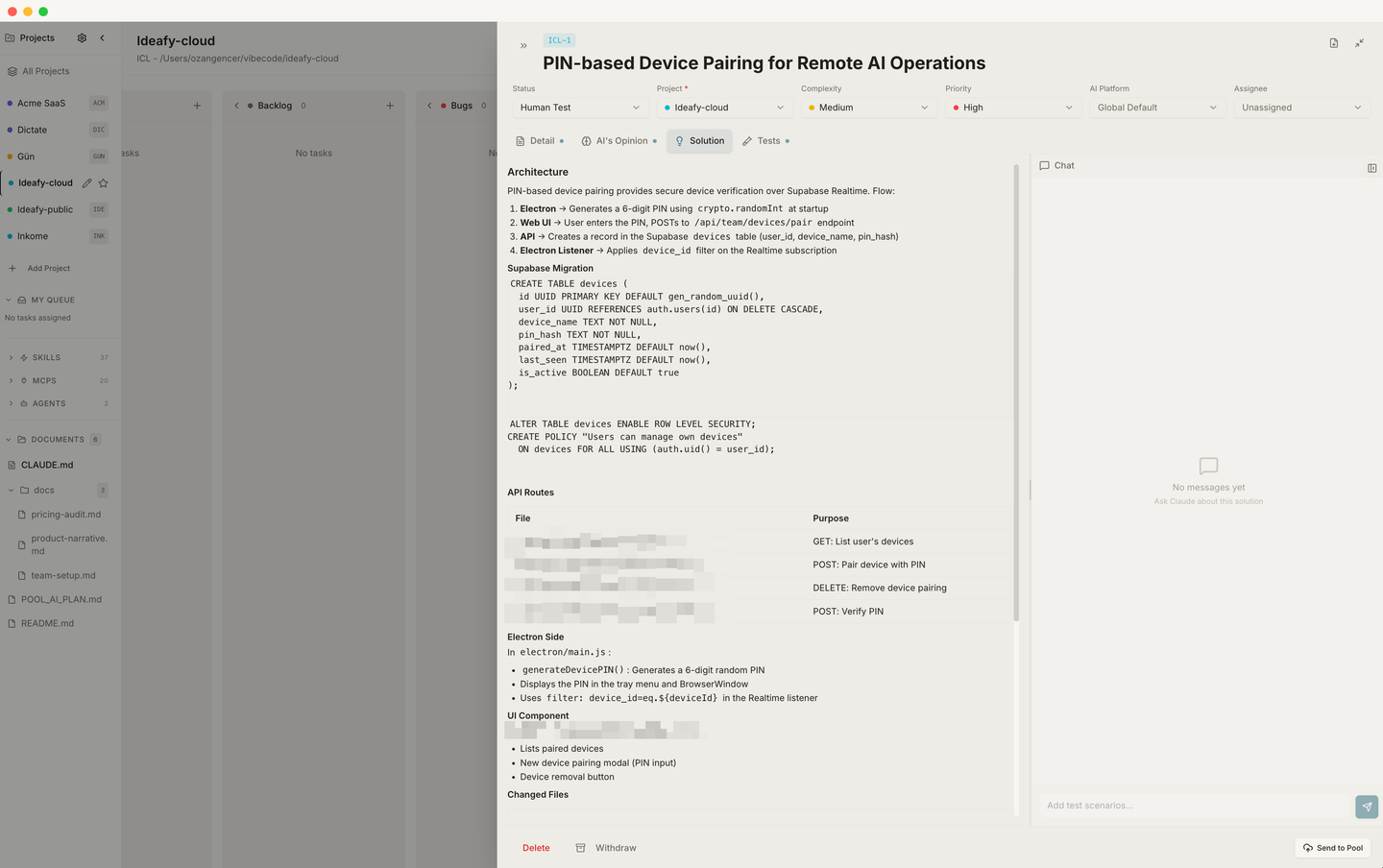
save_plan does two things when it runs:
- Writes prose + a changed-files table into
solutionSummary - Moves the card to In Progress automatically
That second part is load-bearing. The card enters In Progress because a plan exists, not because you dragged it there. The board state always tells you which cards are plan-complete.
What a good Solution page looks like
The AI is prompted to write it this way — you can assume it's consistent:
- One-paragraph overview of what's about to happen
- A changed-files table — columns: File / Change
- Step-by-step walkthrough — the order of operations, with reasoning for non-obvious choices
- Risks & unknowns — things the AI wasn't confident about
The changed-files table is a regular markdown table inside the Tiptap HTML — not a separate structured field. That means you can edit it like any other row, and a teammate who downloads the card as Markdown gets the table intact.
| File | Change |
|---|---|
| src/auth/session.ts | Switch JWT decode to jose |
| src/api/middleware.ts | Propagate new session shape |
Editing the plan by hand
You can edit Solution directly, same as Detail. If the AI regenerates the plan by calling save_plan again, your manual edits are replaced — the tool writes the full field. If you need to keep notes the AI shouldn't overwrite, put them in Detail.
From the chat panel
The chat panel on this tab is where you have the planning conversation. The agent may ask clarifying questions, read source files, propose alternatives. When it's ready it calls save_plan and the tab content updates in place. The card moves to In Progress at the same moment — on the board, you'll see it transition.
The chat session on Solution is stateful across days. Ideafy keeps a CLI session ID per (cardId, sectionType) and resumes it via claude --resume <id> on every new message — so a planning conversation you had yesterday is still alive today with all its context. See Interactive CLI sessions for how resume works.
Popping into a real terminal — plan mode
For heavy planning work, click Open in Terminal from the card modal header. While the card is in the planning phase (no plan saved yet), Ideafy launches Claude Code with --permission-mode plan, so the agent enters plan mode and drafts a plan for you to approve before it touches anything. The terminal inherits IDEAFY_CARD_ID, so the card-context hook fires and the agent knows which card to call save_plan on when the plan is ready.
Once save_plan has been called and the card has moved to In Progress, subsequent Open in Terminal sessions run in normal mode — the plan exists, and the point of the session is to build what's in it.
The link to git
When save_plan runs, the worktree isn't created yet. That happens when you actually start the work (autonomous, quick-fix, or interactive). The plan is the blueprint; the worktree is the build. They're coupled but not simultaneous. See Card git workflow.
Prev: Card modal — AI Opinion Next: Card modal — Tests Up: User guide index