Choose an AI agent
Ideafy supports four AI coding agents: Claude Code (Anthropic), Gemini CLI (Google), Codex CLI (OpenAI), and OpenCode. You pick one as your workspace default and can override per card when a specific card benefits from a different model.
Setting the global default
Settings → General → AI Platform. The dropdown has four values:
| Platform key | Agent | Default config file | Default skills path |
|---|---|---|---|
claude | Claude Code | ~/.claude.json | ~/.claude/skills |
gemini | Gemini CLI | ~/.gemini/settings.json | ~/.gemini/skills |
codex | Codex CLI | ~/.codex/config.toml | ~/.codex/skills |
opencode | OpenCode | ~/.config/opencode/opencode.json | ~/.config/opencode/skills |
OpenCode supports autonomous mode, streamed output, permission modes, skills, MCP, agents, and session resume — everything except hooks, which stay a Claude Code feature.
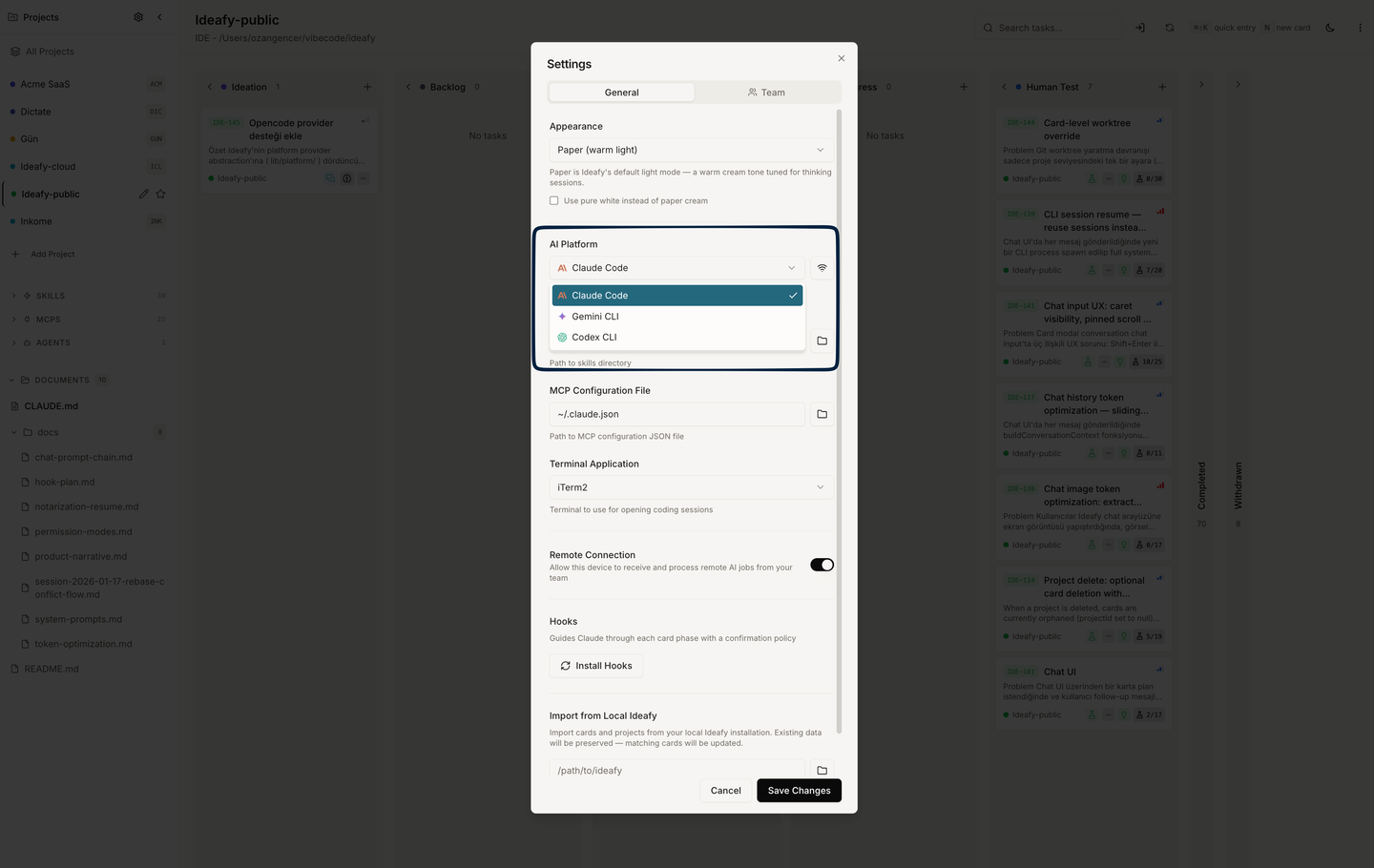
Changing the dropdown resets the config path and skills path to the platform's defaults. If you had custom paths, they're overwritten — you'll need to re-set them.
Per-card override
Every card has an optional aiPlatform field. When set, it overrides the workspace default just for that card. Useful for:
- Running
evaluateon a long-context idea with Gemini, when you normally use Claude - Testing a single feature with Codex to compare output
- Running an experimental agent on an isolated card without disturbing your default
Set it from the card modal footer. null means "inherit the workspace default."
What actually differs between platforms
Functionally, all four platforms can call the same Ideafy MCP tools (save_plan, save_tests, etc.). The differences you'll feel:
- Invocation: Ideafy spawns the agent's CLI directly. Each platform has a slightly different invocation pattern and a slightly different way of reading skills.
- Skills loading: Claude Code reads from
.claude/skills/; the others have their own directories. - Config file format:
.jsonfor Claude, Gemini and OpenCode;.tomlfor Codex. - Hooks: Claude Code only. The phase-aware policy, branch enforcement and plan sync don't fire on the other three — you keep the MCP tools and skills, you lose the automatic nudges.
- Long-context behaviour: varies by model, not by Ideafy.
Ideafy abstracts the differences with a provider layer (getProviderForCard()) — so from your point of view, "start work on this card" does the right thing regardless of which platform is selected.
When to switch
- Sticking with one platform is the quiet default. Don't switch unless you have a reason.
- Per-card overrides are the right tool for "I just want to try this one card on a different model." You don't have to change settings.
- Global switches are rare — usually when you change your primary tool.
Prev: Card git workflow Next: Ideafy's MCP server Up: User guide index