My Queue
My Queue is your personal inbox inside the pool. It shows pool cards assigned to you that you haven't pulled locally yet — cards waiting for you to pick them up.
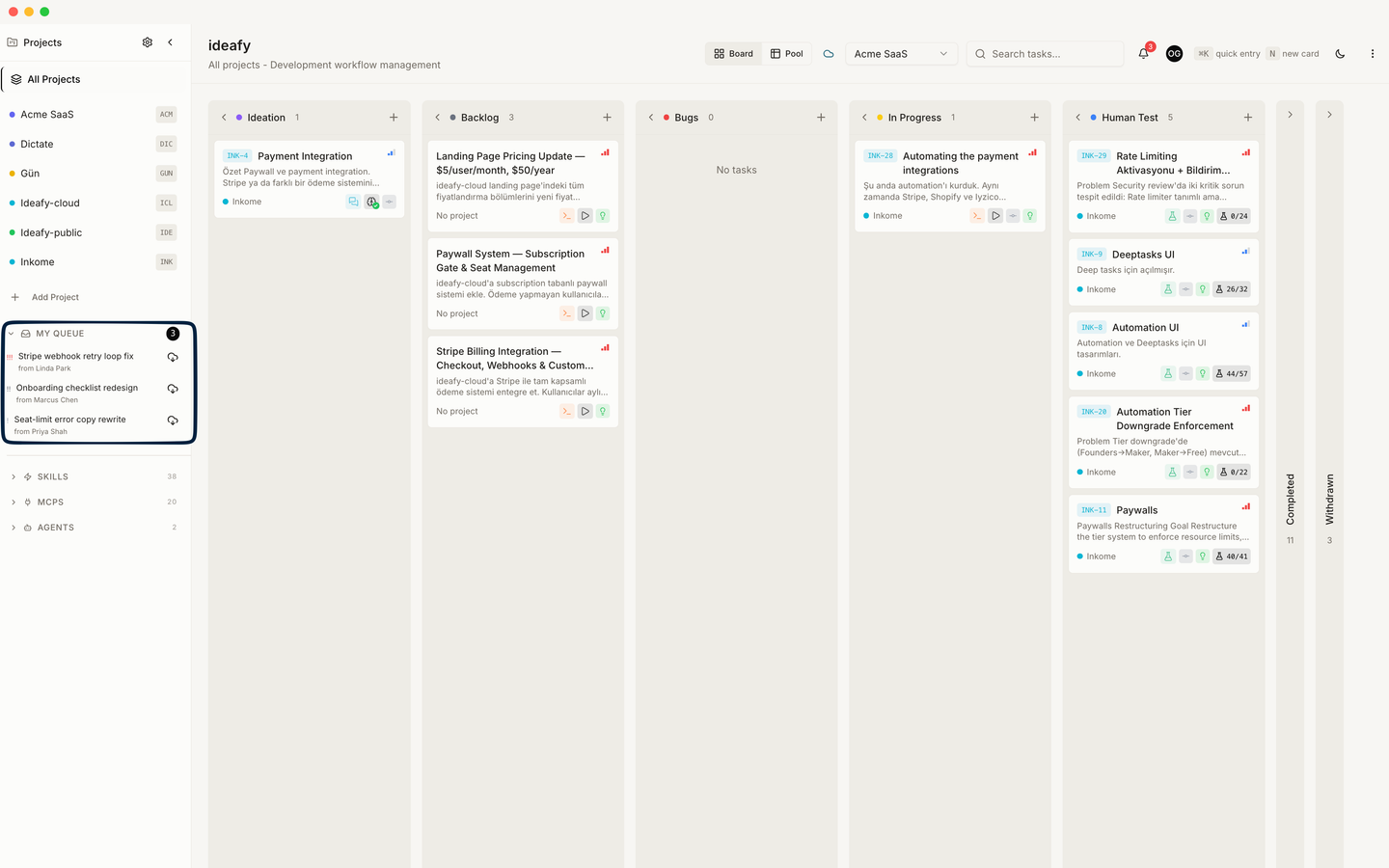
What appears
- Pool cards where
assigned_to = youandpulled_byis null - Ordered by push time, most recent first
- Grouped by team if you're a member of multiple teams
Once you pull a card, it disappears from My Queue (because it's no longer "waiting for you" — it's on your local board). Once someone else claims or reassigns a card that was waiting for you, it also disappears.
Why it exists
It's tempting to think of the pool as "one big shared backlog" that everyone scans. In practice, that scales badly — with 50 cards and 5 people, scanning the whole pool every morning burns time on cards that aren't for you.
My Queue is the focused view. It answers the single question "what's waiting for me right now?" Use the general pool view for discovery; use My Queue for your inbox.
How it differs from the main board
- Main board: every card on your machine, regardless of assignment. Includes cards you pushed, cards you pulled, cards you created locally, cards that have nothing to do with a team
- My Queue: pool cards assigned to you but not yet on your machine
The main board is "where I work." My Queue is "what's incoming." They don't overlap once you pull — a pulled card leaves the queue and joins the board.
Actions from My Queue
Each card in My Queue has two actions:
- Preview — open a read-only pool card view showing Detail / Opinion / Solution / Tests. Good for deciding whether to pull
- Pull — actually bring it into your local board. After pulling, it's yours. Work on it, move it through the columns, merge the branch when done
Pull is the decisive action. Until you pull, the card is still in the pool and someone else could claim it away from you.
Badges next to queue entries
If a local card already exists for a pool card shown in My Queue (you pushed it, or you pulled it earlier on this device), Ideafy shows a small badge instead of the Pull button:
| Badge (coloured) | What it means |
|---|---|
| pushed | This is one of your pushed cards, still linked to the pool. You own the local row; the queue entry is informational. |
| pulled | You pulled this card earlier; the local row is on your board. |
The badge is derived from the card's poolOrigin field — it tells you how the local row came to exist, which matches what the Pool view shows in its Pulled By column (pushed cards have pulled_by = null unless you self-claimed on push, see pulled_by semantics).
My Queue when you're an admin
If you're an admin and have the "show all unassigned" filter on, My Queue also surfaces unassigned pool cards for teams you admin. This is useful for triage: someone pushed a card without assigning it, and you want to route it to the right person. You can claim it yourself, reassign it, or leave it alone.
Empty state
When there's nothing waiting, My Queue shows "You're caught up." That's not a typo — the design is on purpose. If you see that message, you have no pending assignments, and that's a good thing.
Prev: Pool mechanics Next: Notifications Up: User guide index