Project settings
Per-project configuration. Opened from the sidebar by clicking the gear icon next to the project name, or by right-clicking the project.
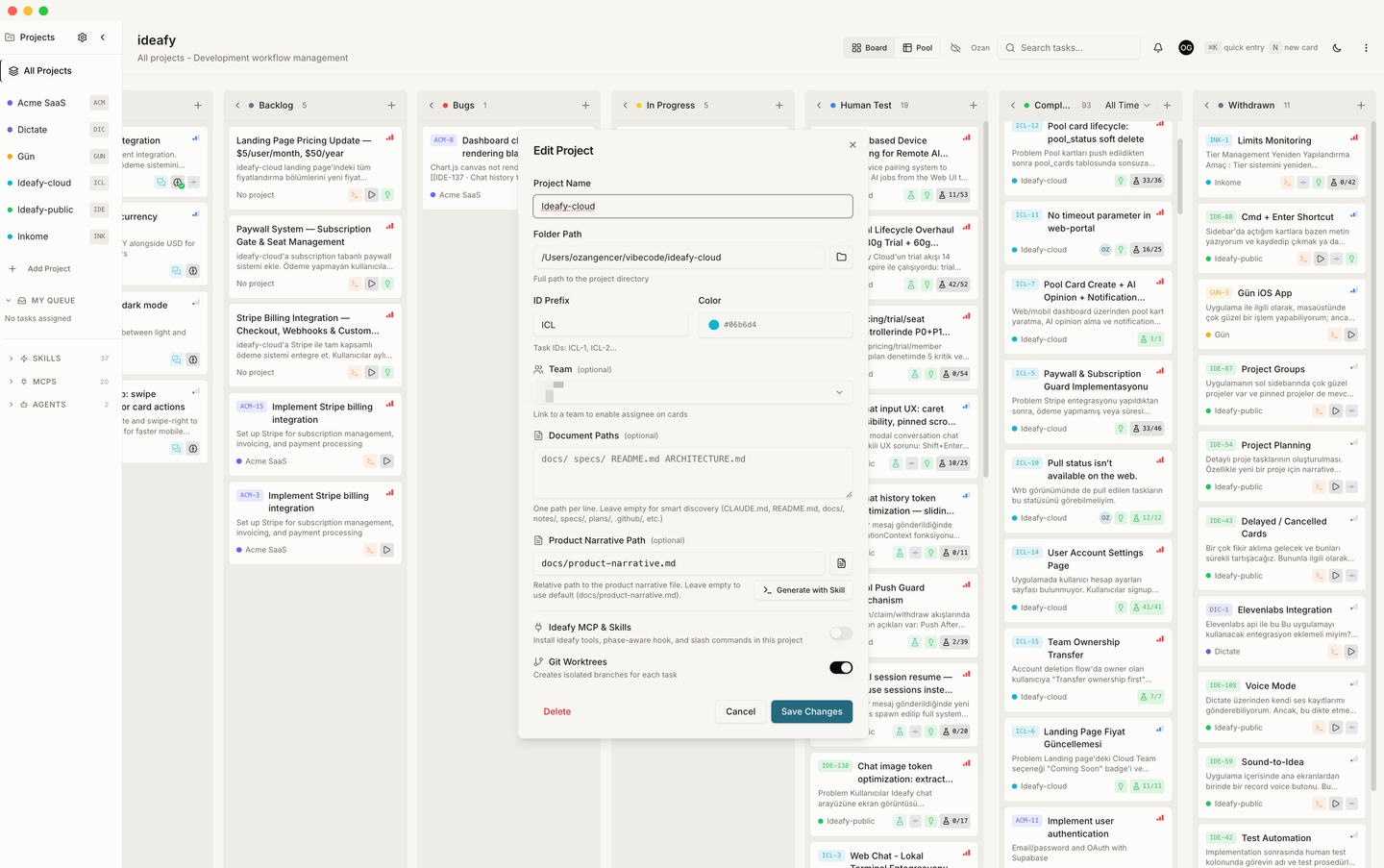
Core fields
| Field | Editable after creation | Notes |
|---|---|---|
| Name | ✓ | Human label. Changing it doesn't rename the folder |
| Folder path | ✗ | Fixed at creation; to change, create a new project and import |
| ID prefix | ✓ | Short identifier (e.g., KAN). Changing it affects new cards; existing cards keep their old prefix on their display ID |
| Color | ✓ | The coloured strip on every card |
| Next task number | ✓ | Counter for auto-incrementing task IDs. Usually auto-managed; edit if you need to jump (e.g., skip 13 for superstitious reasons) |
Voice
Voice is the project-level tone for every AI surface — plan, tests, AI opinion, chat, autonomous flows, and solution summaries. One setting drives the prose style across all of them, so a single mental model controls how the assistant sounds.
Voice changes only tone. Technical content (file paths, change lists, trade-offs) is preserved across all three personas — the entrepreneur voice doesn't strip the content, it just describes it in plainer language.
Choose one of three personas (radio group, default Builder):
| Voice | Audience | Prose style | Example phrasing |
|---|---|---|---|
| Entrepreneur | Product person who doesn't read code daily | Plain prose; lead with user impact and "why"; no monospace jargon, no file:line references; describe technical decisions in one human sentence | "the login flow, the session check, and the logout cleanup" instead of file paths |
| Builder (default) | Solo founder who codes — fluent in technical terms but allergic to spec verbosity | Plain technical sentences; names files when relevant, skips line numbers and snippets unless the change is non-obvious; one paragraph per change beats five terse bullets | "I added an expiry check to the auth callback because the old token was reused after sign-out" |
| Engineer | SWE reviewing the change in passing | Spec-style; bullets, file:line references, code snippets when they clarify; surfaces trade-offs explicitly; Changed Files table when more than two files move | "chose A over B because of N+1 risk" |
How each section reacts
The persona above sets the base tone. Each AI surface then layers a section-specific accent on top so the prose adapts to what the surface is actually for.
| Section | Entrepreneur accent | Builder accent | Engineer accent |
|---|---|---|---|
| Plan (Solution tab) | What we're building, why, who feels it, what's the risk. Files described in one human sentence each | Ordered prose paragraphs per step. "Files" line at the end with paths | Numbered steps with file:line scope, function/symbol names, 1-line trade-offs. Ends with a Changed Files table |
| Tests | Plain-language step descriptions. References UI labels users actually see | UI labels mixed with the occasional technical hint | Manual scenario steps may include the related code path or function name in parentheses |
| Opinion | Verdict focuses on user impact, scope creep, MVP fit | Balanced product + technical lenses; one-sentence callouts on risks | Leads with technical risk: race conditions, n+1, schema drift, perf cliffs |
| Chat | Plain conversational, no jargon | Technical-fluent conversation; mentions files naturally | Terse and structured: bullets, file refs, code blocks |
| Autonomous | Plain-language summary at the end of the run | Short prose summary plus a Files line | Changed Files table, root-cause one-liner, trade-off note |
| Solution summary | Narrates the fix as a story; files mentioned by name, not path | Prose paragraphs grouped by feature area; Files table if more than 3 files moved | Root cause → architecture context → step-by-step changes with snippets → Changed Files table |
The Tests tab keeps the underlying manual-tester format (imperative steps, checkbox-driven) regardless of voice. Voice only colors the prose around each step — it doesn't break the format.
When to switch voice
- Solo founder, no team — Builder is the default and usually the right fit.
- Sharing the board with non-developers (designers, founders, business analysts) — Entrepreneur keeps plans and opinions readable without translation.
- Engineering-heavy team or working with reviewers — Engineer matches the SWE workflow and reduces back-and-forth on PRs.
Voice is per-project, so different projects can use different personas. Changing the voice doesn't rewrite existing content — only new AI output picks up the new tone.
Document paths
Ideafy always runs smart discovery on the project folder — it walks docs/, documentation/, wiki/, notes/, specs/, design/, architecture/, adr/, plans/, and .github/ for .md files, plus key root files like CLAUDE.md, README.md, CONTRIBUTING.md, CHANGELOG.md, ARCHITECTURE.md, SECURITY.md, and LICENSE.md. Anything it finds appears in the sidebar Documents tree and in the @ mention popup without you configuring anything.
Document Paths (the multi-line text field in project settings) lets you add files or folders that smart discovery would otherwise miss — or surface a non-standard location at the top of the list. One path per line, relative to the project folder. Both files and directories are accepted:
docs/
specs/
ARCHITECTURE.md
ops/runbooks/
Your paths are not an override. They render at the top of the Documents tree in user-defined order; smart discovery fills in whatever's left below a divider. A file matched by both sources is de-duplicated in favour of the user-supplied entry. If you don't set any custom paths, smart discovery is still active on its own.
When a document is available — from either source — you can mention it with @document in card chat, and Ideafy loads it into the agent's context.
Memory (Claude auto-memory)
When the active agent is Claude Code, Ideafy surfaces Claude's per-project memory folder as a separate Memory section in the sidebar, just below Documents. The folder lives at ~/.claude/projects/<dash-encoded-folder>/memory/ — Claude Code writes notes there as you work (preferences, project facts, decisions to remember across sessions).
MEMORY.mdis pinned to the top; everything else is sorted alphabetically- Memory files are mentionable with
@in card chat; they insert as absolute paths so the Claude CLI resolves them correctly even when the working directory is elsewhere - The section only appears when the workspace AI platform is
claudeand the memory folder actually exists on disk - Switching the AI platform to Gemini or Codex hides the Memory section (those agents don't have an equivalent auto-memory layout)
Memory files are not managed by Ideafy — they belong to Claude Code. Ideafy only reads and mentions them.
Narrative
Narrative file path — defaults to docs/product-narrative.md. Points at the project's Product Narrative file, the living document the agent reads as context for every evaluate run.
Narrative mode — how the narrative was set up:
- Create — Ideafy generated it through the interview
- Existing — points at a file you wrote
- Skip — no narrative;
evaluateruns without project context - Skill — configured to be generated interactively via the
product-narrativeskill
You can change the mode later. Switching to Create re-runs the interview and overwrites the file. Switching to Existing lets you repoint at a different file.
Test button
The card modal's run button used to assume every project answered npm run dev on an HTTP port. That holds for Next / Vite web apps and silently lies everywhere else: an Electron project starts but has no port to open, and an Xcode project has no package.json at all so npm exits immediately.
Test button names the shape of "run this" per project instead. The row shows the mode in effect and whether you chose it or Ideafy did — "Open in browser — picked automatically". Click Change to override:
| Mode | Label | What the button does | Button reads |
|---|---|---|---|
| (unset) | Automatic | Ideafy decides by looking at the project folder — the row tells you what it would pick right now | (depends) |
server | Open in browser | Starts the app and opens it in a browser tab. For websites and web apps | Start Dev Server / Stop Server |
app | Open the app | Launches the app in its own window. No browser involved | Start App / Stop App |
xcode | Open in Xcode | Opens the test copy in Xcode, where you press ⌘R yourself | Open in Xcode |
none | Nothing | Hides the button for this project | — |
Detection looks for a dev-server framework in package.json (next, vite, nuxt, astro, gatsby, react-scripts, Remix, SvelteKit, Angular, NestJS, Express, Fastify, and similar) to choose server, and falls back to app or xcode based on what the folder actually contains.
xcode and none are one-shot: they hand off to another app and leave no process for Ideafy to supervise, so there's nothing to stop and no PID worth storing.
Advanced
Behind Show advanced settings, two overrides for when the mode's default isn't right:
- Run command — argv for the child process.
{port}is substituted with the worktree's allocated port. Placeholder shows the mode's default (npm run dev -- -p {port}for server,npm run devfor app). - Preview URL — the URL to open once the process is up,
{port}substituted. Server mode only.
Both are hidden by default because the dialog's job is to answer what will this button do, not to teach you about port substitution and exported environment variables. Worktrees are described as "test copies" throughout this dialog, for the same reason.
Git worktrees
Use worktrees — toggle. Default on. When on, Ideafy creates a .worktrees/kanban/[PRJ-N-...] worktree for each card that goes into implementation. When off, all work happens on the project's main branch.
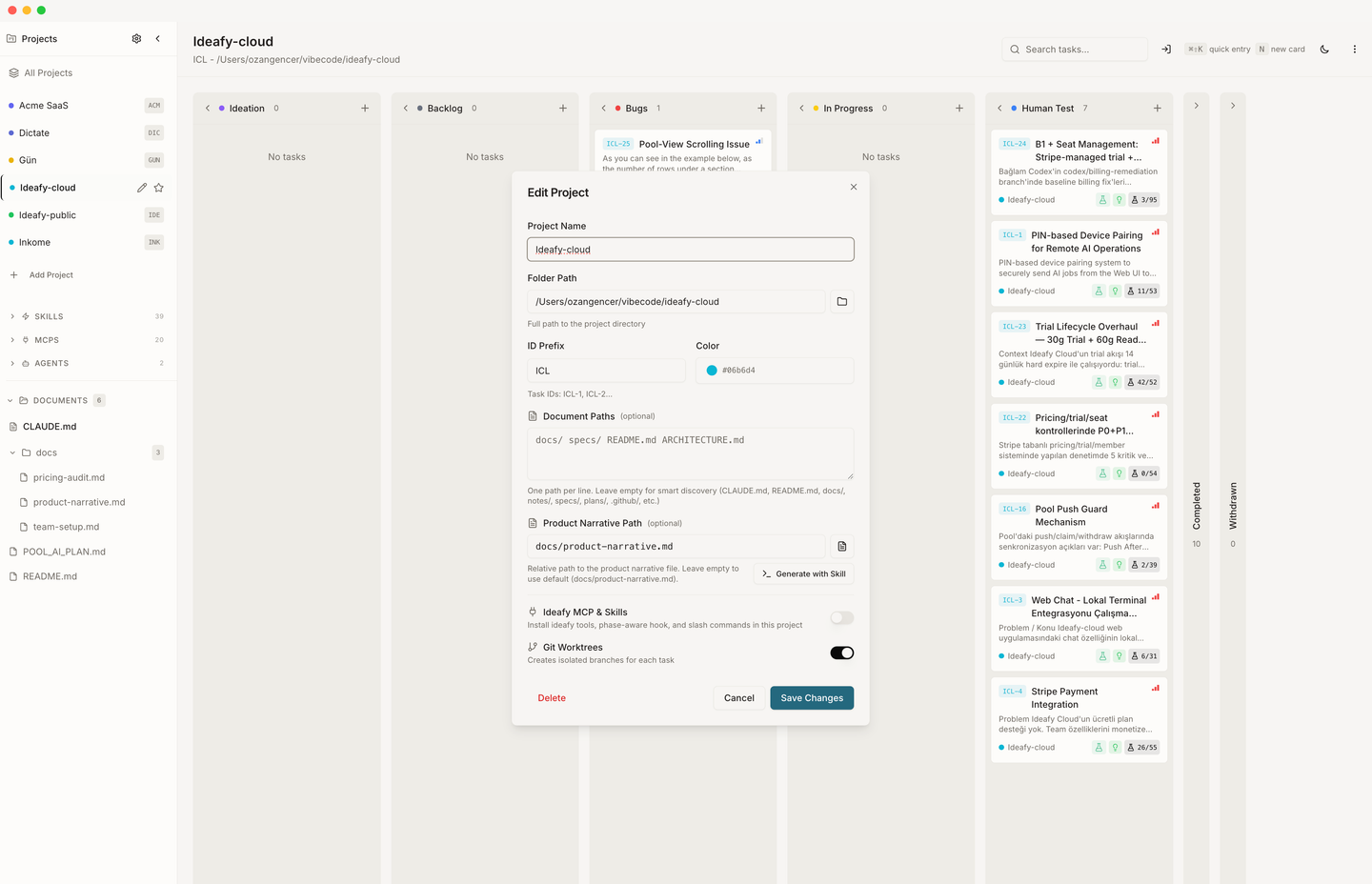
Turn off only if:
- Your project setup breaks with worktrees (very rare)
- You prefer the simpler single-branch flow and accept losing per-card isolation
Shared paths (advanced) — a one-per-line list of paths symlinked from the main checkout into each worktree, instead of being copied or reinstalled. Left empty, Ideafy picks sensible defaults (node_modules, the local database). Set it when your project has something else that shouldn't be duplicated per worktree.
cmux workspace
Visible only when the terminal app is cmux and Ideafy knows of at least one open workspace — there's nothing meaningful to choose otherwise.
That list is cached from the last terminal Ideafy opened in cmux, because Ideafy's own process is refused by cmux's socket and cannot read the workspaces itself. On a machine where you've picked cmux but never launched a terminal from Ideafy, the picker stays hidden until the first launch fills the cache.
It answers one question: where this project's terminal tabs open in cmux.
| Choice | Behaviour |
|---|---|
| Match by folder (default) | Ideafy finds the workspace already sitting in this project's directory and opens the tab there |
| Always a new workspace | A fresh workspace per run |
| A named workspace | Pinned to that specific workspace. The dropdown shows each one's title and current directory |
Team assignment (Team edition)
Team — dropdown of teams you're a member of, plus a None option. Linking the project to a team enables pool sync — every card mutation fires a sync-card call to Supabase. See Team overview.
Unlinking (setting the dropdown back to None) keeps all local data, but stops pool sync for new mutations. Existing pool cards remain in the pool but won't update from your edits anymore.
MCP & Skills installation
The project dialog picks one of two toggles based on the active AI platform. You never see both at once.
Claude Code → Claude Code plugin
For Claude Code users, the project dialog exposes a Claude Code plugin toggle (project scope). When on, it installs / enables the Claude Code plugin only for this project.
Three sub-states:
| Project state | What you see |
|---|---|
| User-scope plugin already on | Row shows an Inherited badge instead of a toggle. Nothing per-project needed — the user-scope install already applies |
| User-scope off, project-scope off | Toggle visible, off. Flipping on runs the project-scope install flow |
| User-scope off, project-scope on | Toggle visible, on. The plugin's MCP + hooks + skills are active only when this project is the active one |
A status badge underneath shows whether the install is up to date (same four states as in general settings.
Codex / Gemini → Ideafy MCP & Skills
For Codex / Gemini users, the project dialog exposes the classic Ideafy MCP & Skills toggle. It installs all three integrations for this project in one click. When on, Ideafy writes:
| What | Where | Endpoint |
|---|---|---|
| MCP server entry | .codex/config.toml or .gemini/settings.json | POST /api/projects/[id]/mcp |
Bundled skills (ideafy.md, human-test.md, product-narrative.md) | ~/.codex/skills/ or ~/.gemini/skills/ | POST /api/projects/[id]/skills |
| Phase-aware hooks | no-op on Codex / Gemini | POST /api/projects/[id]/hook (returns installed:true, applicable:false) |
See Bundled skills for the skills catalogue. Hooks don't fire on these platforms — the phase-aware policy described in Bundled Claude Code hooks is a Claude Code feature today.
Flipping the toggle off fires the matching DELETE on each endpoint — Ideafy's entries are removed from the config files but any other MCP servers or skills you have stay untouched.
The toggle reports as on only when all three endpoints report installed. If one of them drifts (e.g. you manually deleted a skill file), Ideafy will show the toggle off and flipping on reinstalls everything.
Global Install Hooks button
The main settings modal (gear icon top-right, not per-project) exposes an Install Hooks button. It re-runs the hook install across every registered project at once — useful after an Ideafy update that ships a new hook body. Existing projects pick up the changes without a manual click per project.
Note that this button only touches hooks. It does not reinstall MCP servers or skills — the per-project Ideafy MCP & Skills toggle (or the Claude Code plugin toggle) is the only way to install those. The button is hidden on Codex / Gemini since those platforms don't support hooks.
Where settings live
Per-project settings are stored in rows of the SQLite projects table. Backed up along with the rest of the local database.
Prev: General settings Next: Team settings Up: User guide index