Your first project
A project in Ideafy is a folder on disk you're working in. You need one to put cards anywhere. This page walks through creating one and then running the Product Narrative interview.
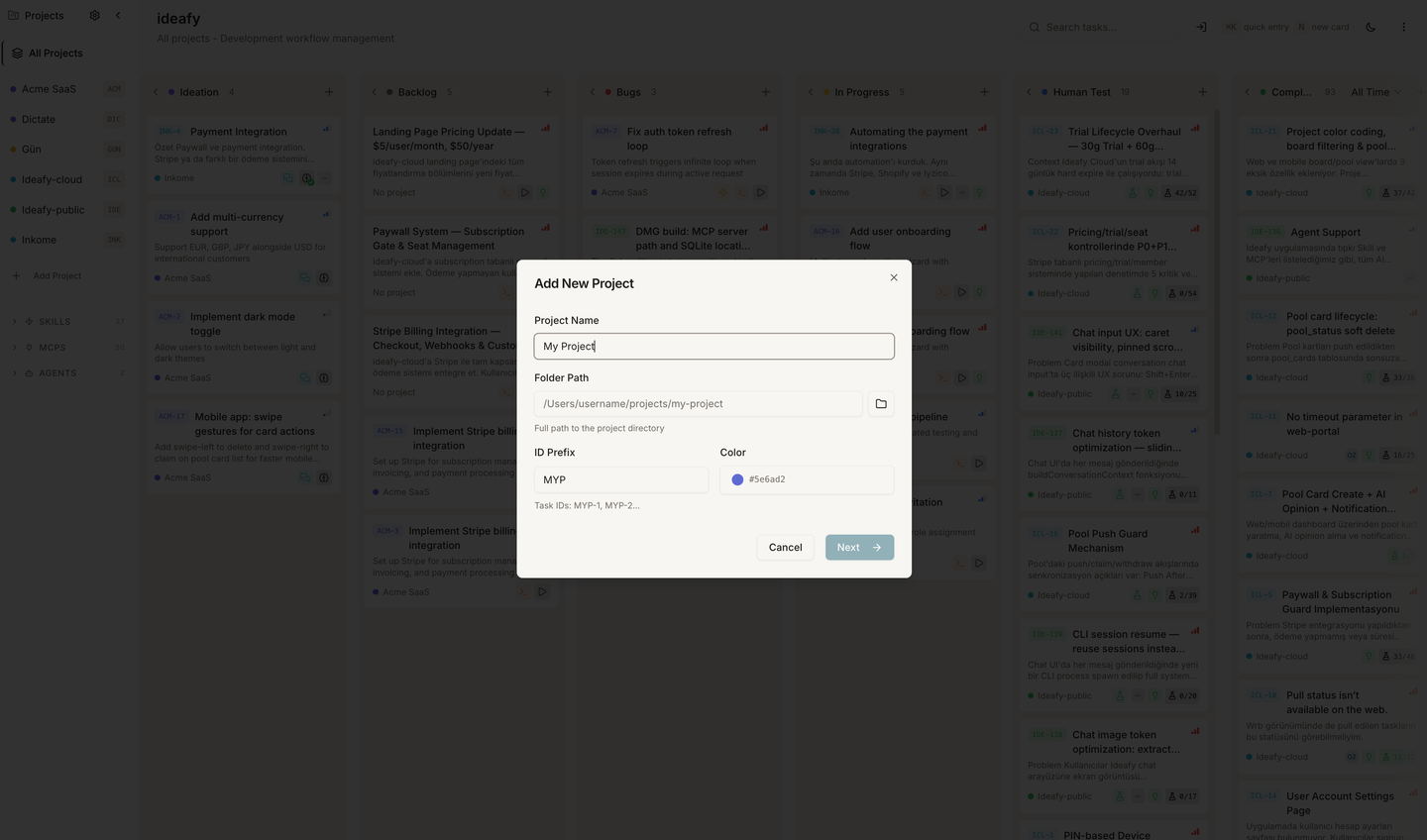
Create the project
From the sidebar, click + Add Project. The modal asks for:
Step 1 — Basics
| Field | Required | Notes |
|---|---|---|
| Name | ✓ | Human label — "Kanban", "Acme Web", "my-side-project" |
| Folder path | ✓ | Absolute path via the file picker. This is the directory the agent will read and write |
| ID prefix | ✓ | Short identifier for task IDs. Auto-generated from the name (e.g., KAN for "Kanban") — editable |
| Color | ✓ | One of ten presets. Shown as the coloured strip on every card in this project |
Step 2 — Narrative & advanced
Optional, but the Product Narrative is where a lot of Ideafy's magic lives — choose one of the four narrative modes:
- Create — AI interviews you and generates
docs/product-narrative.md - Existing — Point at a narrative file you've already written
- Skip — No narrative file. AI evaluations will run without project-specific context
- Skill — Use the bundled Product Narrative skill interactively later, not right now
Also in this step:
- Document paths — Optional extras. Ideafy always runs smart discovery on
docs/,specs/,.github/,CLAUDE.md,README.md, and several other common locations, so you typically don't need to set anything here. Add a line when your docs live somewhere unusual or you want a specific folder pinned to the top. See Project settings → Document paths. - Narrative file path — Defaults to
docs/product-narrative.md. Change if needed. - Use git worktrees — Default on. Turn off only if you really don't want per-card isolation (you almost always do).
- Team (Team edition only) — Link the project to a team you're a member of. Required for pool sync.
Click Create. You land on the empty Ideation column — ready for your first card.
The Product Narrative interview
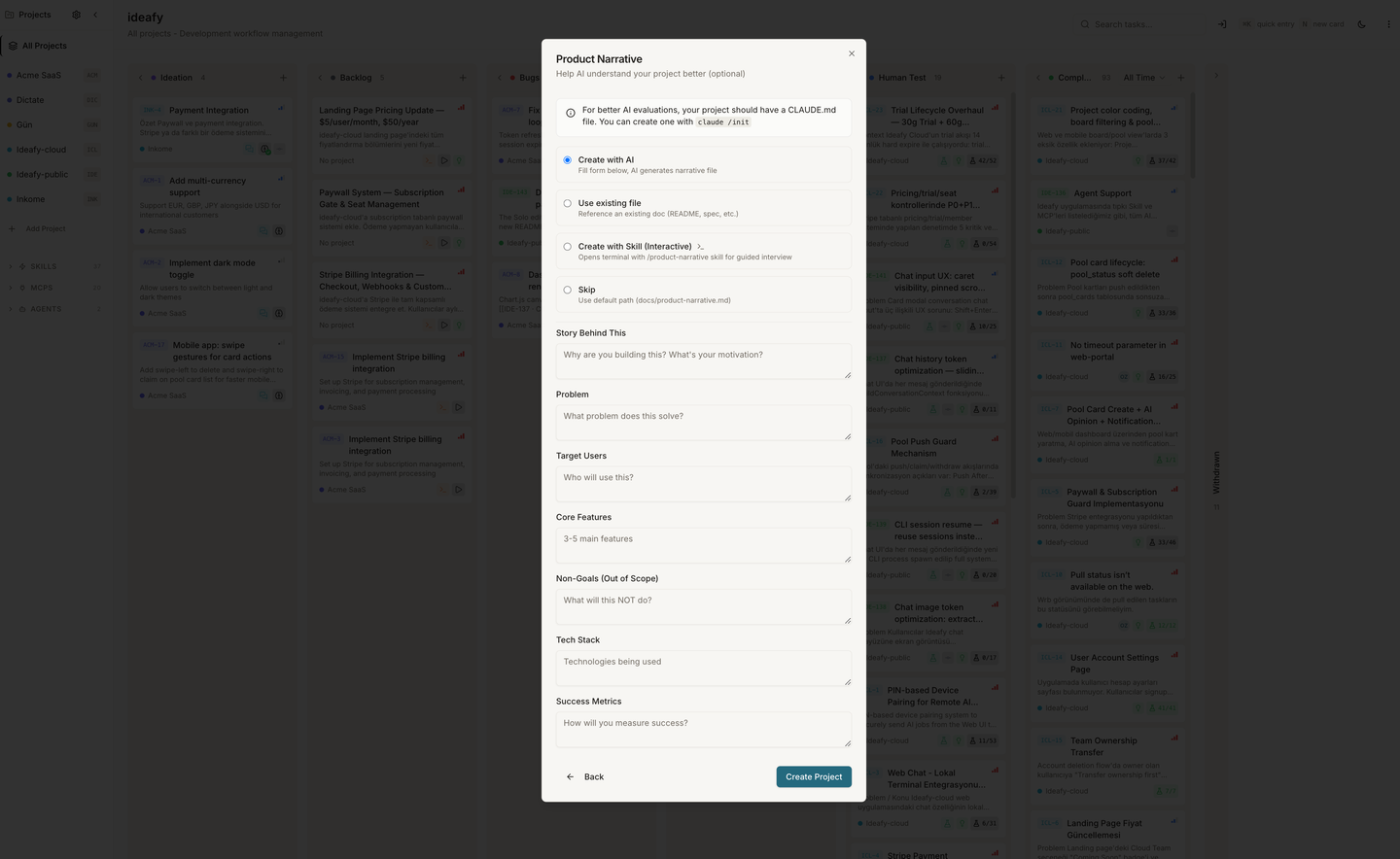
If you picked Create (or later run the /product-narrative skill), the agent asks seven questions:
- Story. What's the one-sentence pitch?
- Problem. What's broken in the world without this?
- Target users. Who, specifically?
- Core features. The three to five things it must do.
- Non-goals. What's explicitly out of scope?
- Tech stack. Why these choices?
- Success metrics. How will you know it's working?
Before asking, the agent scans your folder — package.json, README.md, the top-level directory structure — so it can ground its questions in what actually exists. After your answers, it writes a markdown file with these sections:
- Vision statement
- Problem definition
- Target users
- Solution architecture
- Non-goals
- Tech stack & why
- Success metrics
- Commentary (agent's own observations)
This file is then loaded as context for every AI evaluation in the project — when you run evaluate on an Ideation card, the agent compares the idea against your narrative's non-goals and success metrics before forming an opinion.
The narrative is a living document. Edit it whenever the project pivots. Agents pick up changes on the next tool call.
What happens next
You're now on an empty board. The obvious next step is to connect an AI agent so cards can actually do things.
Prev: Sign up & Authentication Next: Connect an AI agent Up: User guide index