Plans & pricing
The Team edition is paid. Public is free. This page covers the paid plans — what you get, what it costs, how seats work.
Screenshot gap. Pricing page, Stripe checkout, trial countdown, and paywall states aren't in the current screenshot set. See the gap list.
Plans
| Plan | Length | Price | Max seats | Paid? |
|---|---|---|---|---|
| Trial | 30 days | Free | 5 | No card required |
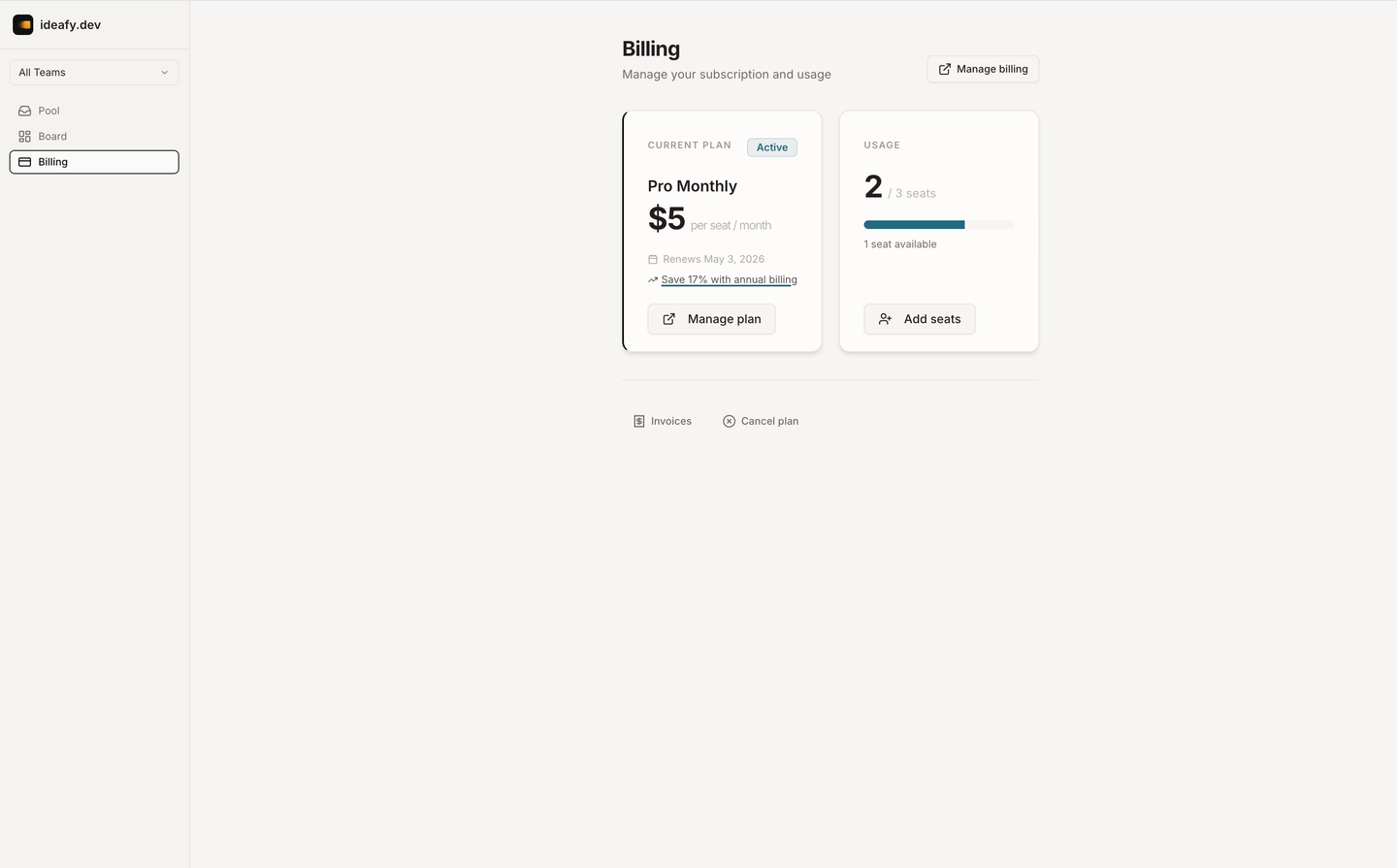
| Monthly | Rolling | $5 / seat / month | Set at checkout | Stripe |
| Annual | Yearly | $50 / seat / year (≈ 17% off) | Set at checkout | Stripe |
Numbers above are current as of this writing — always confirm on the pricing page before purchase.
How the trial works
When you create a team (owner flow), Ideafy automatically starts a 14-day trial — no credit card, no checkout. The team is fully functional during the trial, capped at 5 members.
When the trial expires:
- The subscription moves into a 5-day grace period. Pool writes are blocked, but reads still work, and the team banner shows "Your trial has expired — upgrade to continue"
- After grace, the subscription is
expired. The team's pool writes stay blocked until someone with billing permission checks out on Stripe
Local work continues regardless — only the team/pool features are gated. You never lose your cards.
How seats work
A seat is one team member. If your team has 4 people, you need at least 4 seats. The number of seats is set at Stripe checkout and enforced at join time:
- Seats ≥ current member count (checkout prevents going below the current count)
- Join attempts past the seat count fail with a clear "team is full" error
- Removing a member frees a seat for the next join, without touching billing
You can resize seats at any time from the Stripe customer portal (Settings → Billing → Manage subscription). Stripe prorates the change. Downsize carefully: if you drop seats below the current member count, the UI won't let you — remove members first.
What the paid plans unlock
Both Monthly and Annual unlock the same feature set. Nothing is additionally gated behind Annual — the discount is the only difference.
- Pool (push / pull / claim / unclaim / reassign)
- My Queue
- Notifications (in-app bell + Resend for invites)
- Team invites with seat enforcement
- Remote device / job listener (opt-in on Team)
- Stripe-backed billing with a customer portal for self-service changes
What's not gated:
- Local board, kanban columns, card modal — these work even with an expired subscription
- MCP server, skills, hooks — local agent integration is never blocked
- Git worktrees, dev servers — local orchestration is never blocked
- Conversation history — always local
Switching plans
Upgrade (trial → paid): Settings → Billing → Upgrade. You land on Stripe checkout, pick a plan and seat count, and the subscription becomes active on successful payment. Your trial converts seamlessly.
Monthly ↔ Annual: Customer portal → Manage subscription → change plan. Stripe prorates.
Cancel: Customer portal → cancel subscription. The subscription moves into canceled state. You keep full access until the end of the current billing period, then enter a grace period for another 5 days, then the subscription expires.
What happens when a card expires (payment fails)
Stripe retries the card per its standard dunning flow. Ideafy receives invoice.payment_failed webhooks and moves the subscription into past_due. Pool writes are blocked. The team banner tells you to update the payment method.
Once a new payment succeeds, invoice.payment_succeeded fires and the subscription moves back to active. Pool writes unblock within seconds.
Where to go from here
- Stripe checkout & portal — the step-by-step of buying and managing
- Subscription states — the full state machine and what each state blocks
Prev: Remote device Next: Stripe checkout & portal Up: User guide index